Get Full Government Meeting Transcripts, Videos, & Alerts Forever!
Berkeley County Schools staff explains how to view and set Schoology notifications
Summary
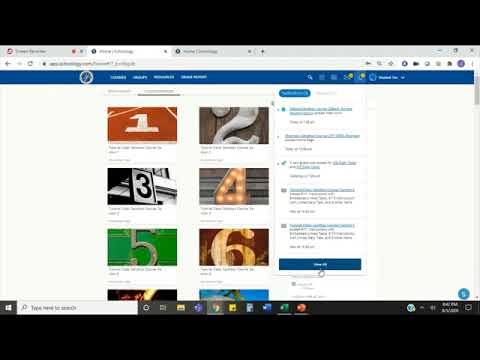
A staff member from Berkeley County Schools demonstrated how users can view, filter and customize Schoology notifications via the web (bcs.schoology.com) or the Schoology app, including email and text options.
A Staff member from Berkeley County Schools demonstrated how to view and customize notifications in Schoology, the district’s learning‑management platform, using the district web address bcs.schoology.com or the Schoology app.
The demonstration showed where notifications appear, how to filter them by type, and how to change delivery preferences so users can receive alerts by email or text message.
The staff member instructed users to click the bell icon in the upper…
Already have an account? Log in
Subscribe to keep reading
Unlock the rest of this article — and every article on Citizen Portal.
- Unlimited articles
- AI-powered breakdowns of topics, speakers, decisions, and budgets
- Instant alerts when your location has a new meeting
- Follow topics and more locations
- 1,000 AI Insights / month, plus AI Chat