Get Full Government Meeting Transcripts, Videos, & Alerts Forever!
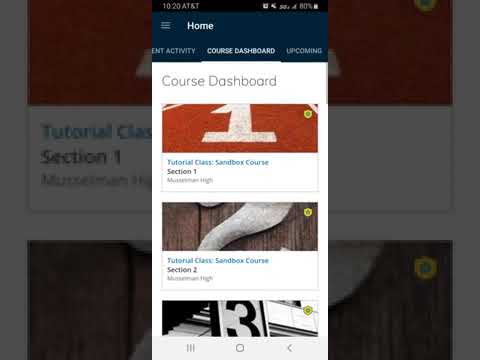
Berkeley County Schools tutorial explains how to find course materials in Schoology app
5920716 · August 22, 2025
AI-Generated Content: All content on this page was generated by AI to highlight key points from the meeting. For complete details and context, we recommend watching the full video. so we can fix them.
Summary
A one-minute instructional video demonstrates signing in to the Schoology app, navigating to the home screen, selecting a course, and opening weekly and daily assignments.
A brief instructional video explains how students can sign in to the Schoology app and locate course materials by using the app’s home screen, selecting a course tile, and opening the appropriate week and day.
Presenter, the video narrator for BERKELEY COUNTY SCHOOLS, said, “So once you open the app and log on if you are not…
Already have an account? Log in
Subscribe to keep reading
Unlock the rest of this article — and every article on Citizen Portal.
- Unlimited articles
- AI-powered breakdowns of topics, speakers, decisions, and budgets
- Instant alerts when your location has a new meeting
- Follow topics and more locations
- 1,000 AI Insights / month, plus AI Chat
30-day money-back on paid plans