Lifetime Citizen Portal Access — AI Briefings, Alerts & Unlimited Follows
HallHub demos e-ticketing inspector app for North Dakota users; training covers delivery, reporting and offline workflows
Loading...
Summary
A HallHub training reviewed the inspector mobile app and web portal used for electronic tickets: how to view the today page and project dashboard, mark tickets delivered or rejected, add pay items and stationing, use offline mode, and report support issues to suppliers and HallHub support.
Carlos led a HallHub training on the vendor’s e-ticketing inspector application and web portal, walking attendees through the mobile "today" page, project dashboards, ticket reports, and field actions users can take when a truck arrives or when tickets stop flowing.
HallHub’s training matters because the application is used by suppliers, contractors and agency inspectors to record deliveries and make near–real-time ticket data available across project teams, reducing reliance on paper clipboard reports.
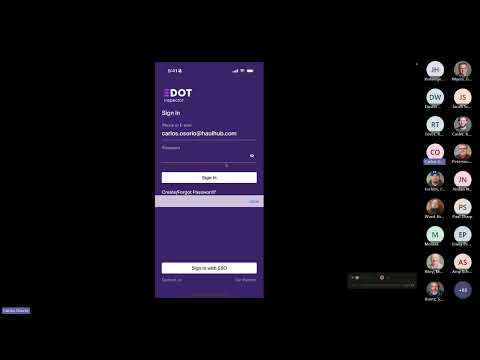
On the mobile app, Carlos demonstrated how the today page lists projects and summarizes load counts and tonnage, how to open a project card to see a ticket feed, and how to tap a ticket card to view raw ticket details including weights, time stamps, the inspector signature and latitude/longitude. He showed how to mark a ticket delivered, add pay items (including splitting a ticket across two pay items), enter stationing, add notes or inspector fields, flag tickets for later review and mark tickets rejected. Using a demo project labeled 12345Highway95, he demonstrated marking tickets delivered, splitting pay items and using the "use net" option to populate the pay amount ($24.26 in the demo). He also played a delivery report that showed six tickets marked delivered on the sample date and two marked rejected in the same report.
Carlos said attendees should save the vendor site if they need to review training later: "If you don't remember anything from this meeting, remember e-d0t.com." He told users that the ticket audit log shows when a ticket was printed at the plant, when it reached the HallHub server and when it was marked delivered, with photos and test-result attachments available where supplied.
The session also covered problem reporting and offline use. Carlos demonstrated the "Report an Issue" flow that sends a notification to the supplier (via a designated 24/7 contact), HallHub support and the reporter; he described the issue lifecycle (reported → work in progress → acknowledged → resolved). He said the support team and supplier are alerted immediately and that the supplier is typically assigned a 24/7 contact to receive notifications. On offline mode, inspectors can create pending tickets using the last four digits of a ticket and those entries queue until the device regains cellular service.
Attendees asked whether contractor haul/certification sheets (the daily certification page) can be generated by HallHub. Mark (an attendee) described the agency’s current process: contractors print a certification page showing daily totals and engineers verify totals against ticket data. Carlos responded, "We do not" currently provide that contractor certification page in the system, but he said he could look into whether the AI reporting tools could recreate it and invited attendees to send sample sheets to him.
Carlos answered several operational questions from users in the chat, including whether truck-specific fields such as gross vehicle weight can be included; he responded that such fields can be part of ticket details and “it can be flagged for overweight loads,” and that he would double-check whether the field was enabled in the North Dakota environment.
The training closed with reminders about web-portal features (downloadable PDF or CSV slips, automated daily delivery reports that can be emailed to a list of addresses, and the HallHub University training videos available from the vendor site) and an offer to do follow-up trainings or one-on-one help.
The session included a live demo and question-and-answer period; no formal agency actions or policy changes were made during the training.