Get Full Government Meeting Transcripts, Videos, & Alerts Forever!
Get email alerts on the Wpkey Authentication topic
No spam. Unsubscribe anytime.
State Water Board launches WP Key login for SAFER Clearinghouse; phased deadlines set for water systems
Summary
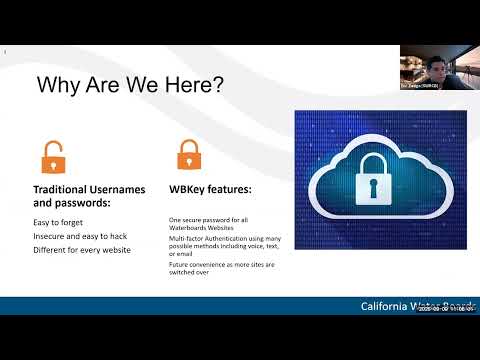
The State Water Resources Control Board’s Division of Drinking Water introduced WP Key, a single-sign-on login and multifactor authentication system, for the SAFER Clearinghouse during a Sept. 9 webinar and said the production launch is scheduled for Oct. 10.
The State Water Resources Control Board’s Division of Drinking Water introduced WP Key, a single-sign-on login and multifactor authentication system, for the SAFER Clearinghouse during a Sept. 9 webinar and said the production launch is scheduled for Oct. 10.
The rollout is phased to match reporting deadlines: urban retail suppliers should have WP Key accounts by Sept. 30; community water systems and nontransient, noncommunity schools are targeted for October; and all public water systems are expected to have accounts by the end of December, officials said. The board tied the schedule to upcoming reporting cycles, including the 2025 Electronic Annual Report process that begins Jan. 1, 2026.
“Our goal today is to introduce you to a simpler and more secure way, a safer way, if you will, to access your water data through the SAFER clearing house,” said Eric Zuniga, Drop Response Program Manager for the Division of Drinking Water. Zuniga outlined two stated priorities: stronger cybersecurity to protect system data and a longer-term aim of single sign-on convenience across Water Board portals.
Officials demonstrated the WP Key setup steps and password requirements: verified work email, a new strong password (one uppercase, one lowercase, one number, one special character and a 15-character minimum), and a multifactor authentication (MFA) choice. MFA options shown included an authenticator app, text message, voice call and email. Zuniga advised that WP Key is intended for one person per login to preserve auditability of edits and reporting.
The Division emphasized account-request and approval procedures. New users must press “New users must request access” on the login page and enter a work email; the system sends a verification code that must be entered before users can complete account creation. For requests that don’t match the Clearinghouse’s contact records, staff will vet requests and may require confirmation from district or Local Primacy Agency (LPA) contacts; the approval process can take several business days.
Wendy (EAR specialist) answered audience questions about shared or generic accounts and MFA. “Technically your email address should be linked to a person,” Wendy said, advising organizations to create separate credentials for individual staff when possible; she noted multiple people can be granted permissions to the same water system, but shared logins will not support individual MFA auditing.
The staff provided a training site (wbappsrv-training.waterboards.ca.gov) for practice and said the production login will be at the existing clearinghouse URL. The training environment was explicitly described as nonproduction and warned that any entries there would be deleted. Zuniga said the Division will post the recorded training to the drought and conservation reporting site and maintain a help-request form that triages support tickets for login failures, pending approvals and site issues.
During polling and Q&A, presenters reported high attendance and varied readiness: more than 400 webinar attendees, about 90% poll participation, roughly 84% identifying as water system staff, 41 attendees indicating they were new to SAFER, and 127 attendees who had successfully created WP Key accounts during the session. Common issues raised in questions included authenticator code failures, password resets, and pending-account errors; staff advised using the help-request form for persistent or technical problems.
Discussion versus decisions: the webinar was a training and rollout announcement rather than a policy vote. Discussion points included the security rationale for WP Key, the set password and MFA requirements, and the approval workflow for new Clearinghouse accounts. Directions given included the Oct. 10 production launch, staged deadlines tied to reporting schedules, posting the recorded training, and routing troubleshooting through the help-request form. There were no formal motions or votes.
What to expect next: the Division urged users to try the training site or to wait for the production login after Oct. 10; users who already have WP Key for other Water Board portals (for example, the Lead Service Line Inventory) should be able to use the same WP Key credentials for SAFER, though they may still need to request Clearinghouse access. Staff said they will schedule further targeted login clinics if enough attendees report problems with MFA or account setup.