Get Full Government Meeting Transcripts, Videos, & Alerts Forever!
Get email alerts on the Digital Services topic
No spam. Unsubscribe anytime.
Montana Courts explains FCE login steps for non‑court users
Summary
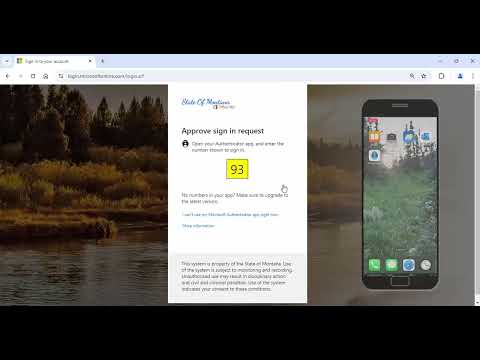
Montana Courts staff provided step‑by‑step instructions for individuals not employed by the courts to log in to the FCE application, covering C-number entry, authenticator app approval, and final credential entry at the application login.
Montana Courts staff provided step‑by‑step instructions for individuals who are not employed by the courts to log in to the FCE application, including entering a C number, selecting the correct court, and approving an authenticator notification on a mobile device.
The guidance described a three‑step flow. A staff member said, "Type your C number in the user ID field. Select the correct court and click continue. Enter your c number at mt.g0v. You must include at mt.gov on this screen." The presenter then instructed users to "Take note of the number shown on your screen" and to enter that number into a phone authenticator app when prompted. Finally, the presenter described completing the process: "Your phone authenticator, enter the number and click yes. Your session has been authenticated. This will bring you to the FCE application login. Enter your user ID, password, and court 1 more time, and then click log in."
The transcript segment is instructional; it does not record any formal motions, votes, or policy decisions. The remarks are procedural directions for authenticating a user session and accessing the FCE application. No help desk contact information, timing for rollout, or policy changes were recorded in the provided transcript segment.