Get Full Government Meeting Transcripts, Videos, & Alerts Forever!
Get email alerts on the Public Records Access topic
No spam. Unsubscribe anytime.
How to find and download Town of Nantucket meeting agendas and packets
Summary
Town staff provided step-by-step instructions for locating and downloading meeting agendas and agenda packets from the Town of Nantucket website and the LaserPhish document portal, including tips to avoid viewing issues and where to look if attachments are missing.
A staff member for the Town of Nantucket outlined step-by-step instructions for the public to find and download meeting agendas and agenda packets from the town website and the LaserPhish portal.
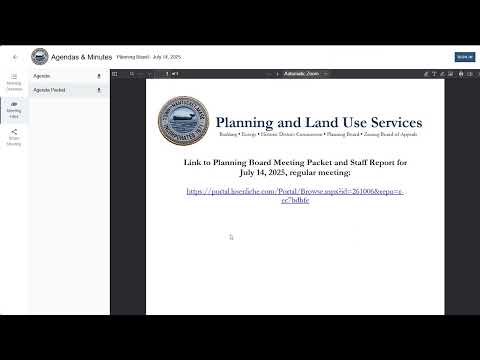
The guidance explains why the process matters for public access and provides a short, repeatable workflow: open the Town of Nantucket homepage, go to Agendas and Minutes (found on the homepage or under the Government tab), use the Event Categories dropdown to select the board or commission, locate the meeting date, and click the arrow download icon next to the agenda or agenda packet link.
Using the planning board as an example, the staff member advised refining searches with the dropdown boxes below the calendar and a three-line filter button on the right side of the search box. For packets, the agenda packet link opens the LaserPhish portal, where the planning board folder shows documents for the current year and files are organized by meeting date or type.
For reliability, the staff member recommended downloading files rather than viewing them in a browser to avoid lag or formatting problems. To download a single item, users should check the box next to that item and select download. To download the entire packet, users can click the top checkbox to select all files, then right-click and choose “download selected entries.” The staff member said using a desktop or laptop improves navigation and bulk downloading.
If a packet appears to be missing documents, the staff member advised checking the LaserPhish folder directly because all attachments are stored there.
The instructions are practical steps to help residents, reporters and others retrieve official meeting materials; they do not change any records policies or release schedules.