Get Full Government Meeting Transcripts, Videos, & Alerts Forever!
Get email alerts on the Student Registration topic
No spam. Unsubscribe anytime.
Sant Legacy School District demonstrates how parents can register students in online portal
Summary
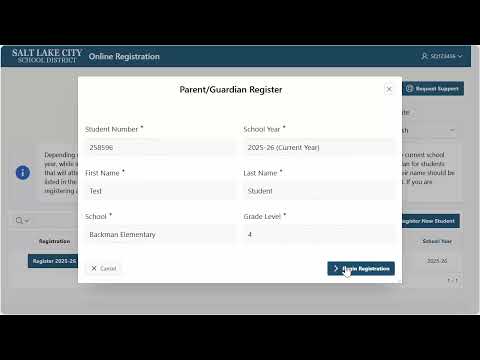
District staff gave a brief demonstration showing parents or legal guardians how to log in to the Parent Portal, verify student information, start registration, register new students who are new to the district, and sign out when finished.
Sant Legacy School District staff provided a brief demonstration of how parents or legal guardians can register students using the district Parent Portal.
The demonstration explained the step-by-step process: sign in to the Parent Portal with your username and password, select the entry that shows students associated with the provided email address, verify that the listed school and grade are correct, then click the register button to “Iniciar el Registro” (Start Registration) for the selected student. If a child has not previously attended the district, the presenter said parents may use the “register new student” option.
The presenter emphasized that the person signing in must be a parent or legal guardian for the student to appear in the portal and that users should confirm grade and school information before starting registration. The demonstration also advised parents to contact the school the student will attend if they need additional assistance with the online process or with associating students to contact information.
When registration is complete, the presenter instructed users to click “salir” to be redirected back to the Parent Portal and to sign out of the portal to end the session.
Less critical operational details from the demonstration include the portal’s automatic redirections between the representative login and the registration pages and the recommendation that parents verify information twice before submitting the registration.