Get Full Government Meeting Transcripts, Videos, & Alerts Forever!
Get email alerts on the Student Registration topic
No spam. Unsubscribe anytime.
Salt Lake City School District explains online process to register new students
Summary
A short Salt Lake City School District demonstration instructs parents who have not set up a parent portal or provided an email how to begin online registration, which includes clicking a "register as a new student" button, selecting school and grade, and contacting the student's school for additional help.
Salt Lake City School District posted a short online demonstration explaining how parents can register a student who has not previously set up a parent portal or provided a parent email address.
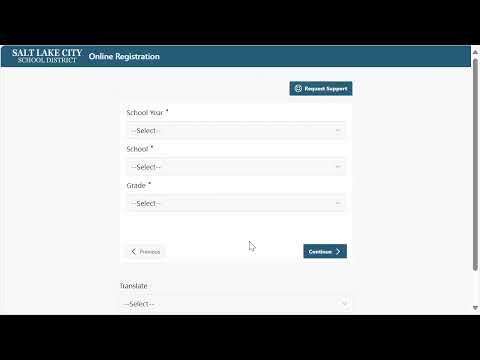
The demo tells parents to click the "register as a new student" button, select the student’s school and grade, and click "continue" to begin the online registration process. A Salt Lake City School District staff member said, "To get started, click the register as a new student button below, provide the school and grade information, and click continue."
The video notes that this pathway is intended for parents who have not previously created a parent portal account or supplied an email address for their student. It states that completing the steps will start the district’s registration workflow for the new student. If parents need help with the online registration process, the demonstration instructs them to contact the student’s school for additional support. The demonstration does not provide a district phone number or email address in the recording.
This is an instructional item rather than a policy announcement; the recording provides a step-by-step guide to begin the registration but does not state timelines for document submission, verification steps, or where parents should upload paperwork. Those procedural details are not specified in the demonstration.