Get Full Government Meeting Transcripts, Videos, & Alerts Forever!
Get email alerts on the Student Athlete Registration topic
No spam. Unsubscribe anytime.
DC Everest Area School District outlines online registration steps for student athletes
Summary
The D C Everest Area School District announced parents must register student athletes through Arbiter Sports at least 30 days before each season, upload required physicals and complete electronic signatures; contact your school athletic director for questions.
The D C Everest Area School District provided step-by-step instructions for parents and guardians to register student athletes for school sports using Arbiter Sports, saying registrations must be completed at least 30 days before each sports season to ensure eligibility.
The district said the process requires creating one Arbiter Sports account per family, completing the online registration for each athlete, uploading required documents (including a physical), acknowledging district policies and agreements, and submitting the form. Parents receive an activation email after creating an account and a notification in the Infinite Campus student portal after submitting a registration.
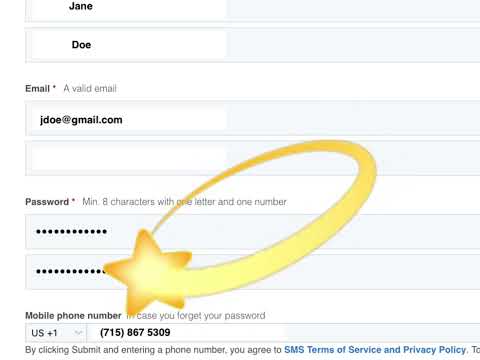
To create an account, parents should go to account.students.arbitersports.com or use the link on the D C Everest website’s athletics registration page, select “Create an account,” complete required fields, accept the terms of service and activate the account via the email Arbiter sends. The district noted families can save a partially completed registration and finish later and urged parents to save usernames and passwords in a secure place.
The district recommends uploading an electronic copy of each athlete’s most recent physical to Arbiter Sports to expedite clearance. When a registration is complete, users must scroll to the bottom of the form to read policies, acknowledge agreements, and place an electronic signature in the required field before selecting Submit.
If information is missing, the registration system will prompt users to complete it; when all required fields are complete and the family submits, the district will send a notification in the Infinite Campus student portal confirming the registration for the sports season. For questions, the district advised contacting the school athletic director.