
IT staff demonstrates Outlook "Report Email" button for quicker phishing reports
Get AI-powered insights, summaries, and transcripts
Subscribe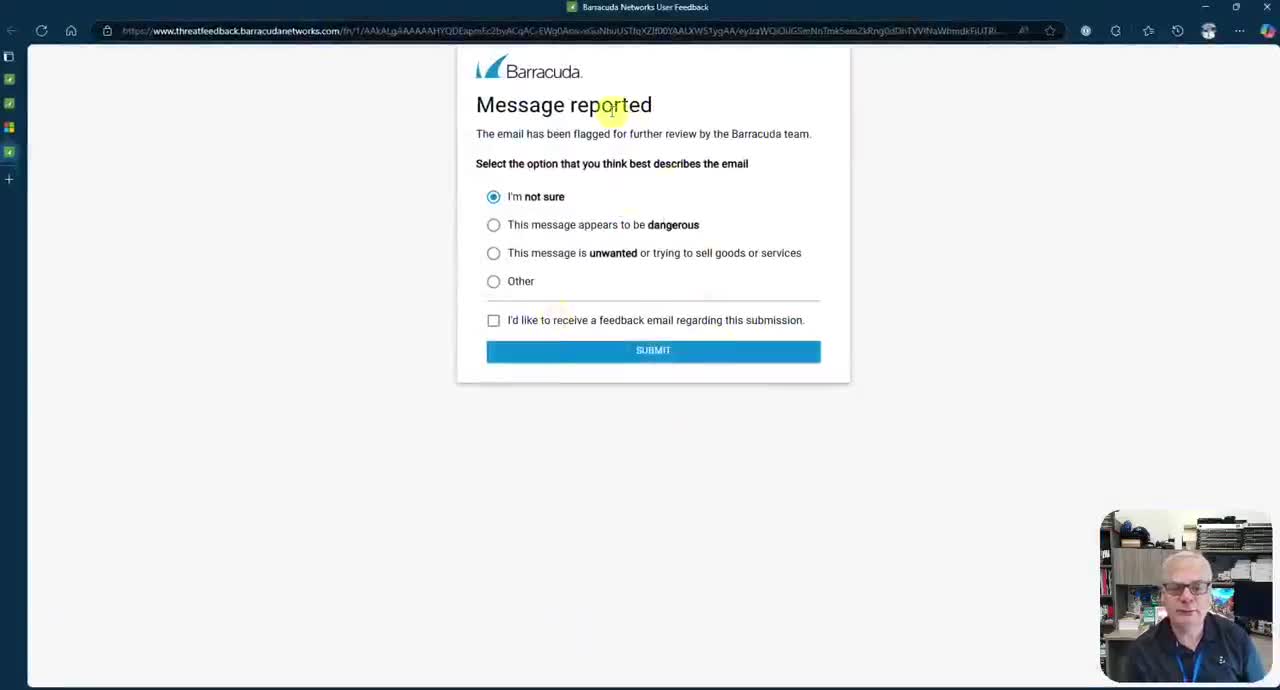
Summary
An IT staff member demonstrated a new Outlook feature using a Barracuda add-on that lets users report suspicious messages directly to the IT department; the tool requires a 2–3 step first-time setup and does not automatically create an incident.
An IT staff member demonstrated a new "Report Email" feature in Microsoft Outlook that sends suspicious messages to the IT department via a Barracuda add-on, saying the tool is the fastest way to alert security.
The feature appears as a "Report Email" button in Outlook's message view and in the right-hand pane. The staff member said first-time users will be guided through "2 or 3 steps" to configure the Outlook client, and that submitting a report is completed by clicking a submit button. "This isn't a suspicious message, but I'm gonna use it as an example," the staff member said during the demonstration.
The staff member said the report does not automatically create an incident; instead it notifies IT to review the message inside Barracuda. "Now this hasn't created an incident yet. This is just telling the IT department to go into Barracuda and check it out," the staff member said. The presenter added that users can optionally provide feedback when they submit a report but are not required to do so.
The demonstration emphasized speed and ease: the staff member said, "This is the fastest way. Stay cyber safe and, be aware there's no cybersecurity Friday newsletter this week." The message included a reminder to report suspicious messages to help the IT team identify threats quickly.
The presentation consisted of a single short demonstration and instructional remarks; no formal policy change or vote was discussed or taken during the session.