Get Full Government Meeting Transcripts, Videos, & Alerts Forever!
GERS shows members how to access 2025 annual statement online
Summary
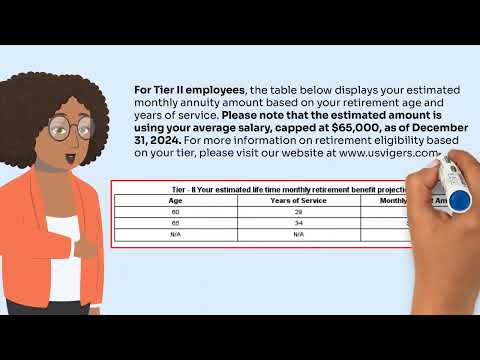
A presenter for the Government Employees Retirement System (GERS) walked members through accessing and reading their 2025 annual statement, including website navigation, the $65,000 salary cap used for benefit estimates and how contribution shortfalls are handled for central government and semi‑autonomous agencies.
Staff member, presenter for the Government Employees Retirement System (GERS), told members how to find and read their 2025 annual statement and where to get help.
The presenter said members should “Go to www.usvigers.com and select member self-service on the top right of your screen. Enter your username and password and click on log in. Select manage your account. Under you and your beneficiaries, click on review your document history. Then click on the PDF icon for the annual statement dated with the year 2025.”
The information matters because the annual…
Already have an account? Log in
Subscribe to keep reading
Unlock the rest of this article — and every article on Citizen Portal.
- Unlimited articles
- AI-powered breakdowns of topics, speakers, decisions, and budgets
- Instant alerts when your location has a new meeting
- Follow topics and more locations
- 1,000 AI Insights / month, plus AI Chat