Get Full Government Meeting Transcripts, Videos, & Alerts Forever!
Get email alerts on the City Website topic
No spam. Unsubscribe anytime.
City of Green Bay staff member tours municipal website, explains online services
Summary
A recorded City of Green Bay website tour walked viewers through greenbaywi.gov features including navigation, the GB Services request portal, agendas and minutes, notification subscriptions, voting information, job listings and built-in translation tools.
A City of Green Bay staff member presented a recorded tour of the city’s municipal website, greenbaywi.gov, explaining where residents, businesses and visitors can find services, meeting information and city contacts.
The staff member said the homepage leads to a persistent main navigation bar with tabs for Government, Departments, Services, Business and Explore, and highlighted graphic buttons at the bottom of interior pages that link to job openings, the GB Services request portal, agendas and minutes, notifications and a departmental directory. “Let’s start at the homepage, greenbaywi.gov,” the presenter said.
The tour described the Government tab as containing information about boards and committees, elected officials and key initiatives; the Departments tab as an entry point to pages grouped by department role; and the Services tab as a shortcut to commonly used citizen services that then redirect to the appropriate department. The Business tab was presented as the place for permits, licenses, bids and funding resources. The Explore tab was described as a resource for visitors with places of interest and community partners. The How Do I tab was described as containing quick links to specific tasks such as scheduling inspections or contacting offices for older residents.
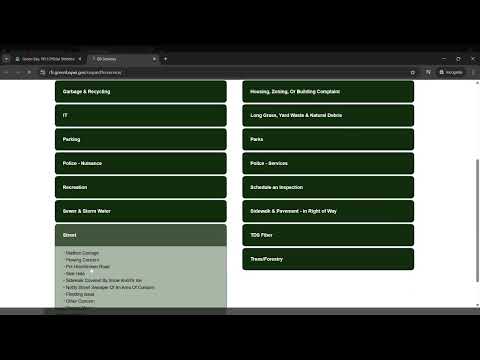
The video explained the GB Services website as the city’s service-request portal where constituents can report issues (for example, potholes) by selecting a category and completing an online form. The presenter said submitted forms “will be routed to the appropriate staff member and they will take care of it.”
For public meeting information, the presenter directed viewers to the agendas and minutes button, saying it links to the city’s agenda and meeting management system that houses committee meetings. For notifications, the tour demoed a public portal that allows users to subscribe to multiple notification categories, save progress on forms, view recently passed legislation and customize a dashboard; the presenter noted subscriptions prompt users to sign in or create a free account.
The voting graphic button was described as linking to the Clerk’s area with elections information. The directory button was presented as a way to find main phone numbers for departments and divisions and encouraged callers to call during office hours or leave voicemail. The presenter also showed the site’s search features, including filters for website content, agendas and minutes, and municipal code, plus an advanced search tool. The video noted the site has Google Translate built in.
The presentation was instructional and did not propose policy changes or record any formal actions by the City of Green Bay. Viewers were told to use the search box at the top of the site or the directory to find additional help.