Get Full Government Meeting Transcripts, Videos, & Alerts Forever!
Delray Beach staff outline how to schedule field and document inspections in e‑Services portal
Summary
City staff demonstrated how permit holders can schedule field inspections and submit document (pre‑inspection) reviews through Delray Beach’s e‑Services system, including how to select inspections, pick dates/times, add contact information, upload required attachments, and monitor inspection status.
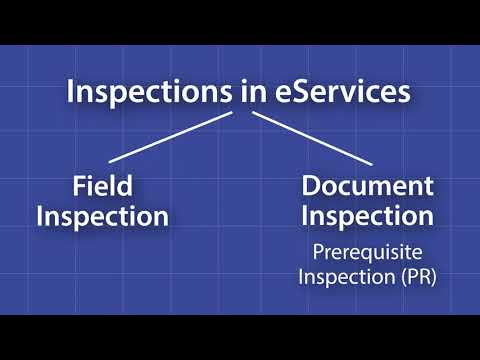
City of Delray Beach staff walked permit holders through using the city’s e‑Services portal to request two types of inspections: on‑site field inspections and document (pre‑inspection) reviews, which the system denotes as “PR.”
The demonstration explained the first steps to begin either inspection type: log in, choose the "My Work" tab, select "My Permits," find the permit using the search or dropdown menus, then open the "Inspections" button to view required inspections. "Y hay 2 tipos de inspecciones en el sistema de servicios electrónicos. Hay inspecciones de campo donde se programa una fecha y una hora para que un inspector venga a tu ubicación. Luego están las inspecciones de documentos. Estas se llaman…
Already have an account? Log in
Subscribe to keep reading
Unlock the rest of this article — and every article on Citizen Portal.
- Unlimited articles
- AI-powered breakdowns of topics, speakers, decisions, and budgets
- Instant alerts when your location has a new meeting
- Follow topics and more locations
- 1,000 AI Insights / month, plus AI Chat