Get Full Government Meeting Transcripts, Videos, & Alerts Forever!
Get email alerts on the Permits Inspections topic
No spam. Unsubscribe anytime.
Delray Beach staff outline how to schedule field and document inspections in e‑Services portal
Summary
City staff demonstrated how permit holders can schedule field inspections and submit document (pre‑inspection) reviews through Delray Beach’s e‑Services system, including how to select inspections, pick dates/times, add contact information, upload required attachments, and monitor inspection status.
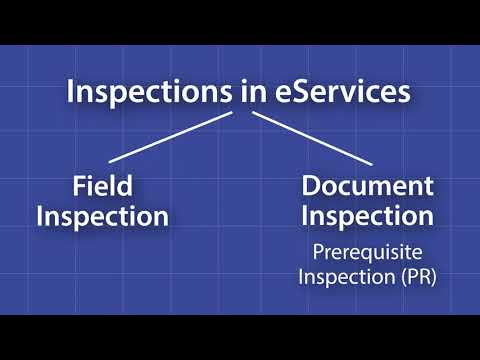
City of Delray Beach staff walked permit holders through using the city’s e‑Services portal to request two types of inspections: on‑site field inspections and document (pre‑inspection) reviews, which the system denotes as “PR.”
The demonstration explained the first steps to begin either inspection type: log in, choose the "My Work" tab, select "My Permits," find the permit using the search or dropdown menus, then open the "Inspections" button to view required inspections. "Y hay 2 tipos de inspecciones en el sistema de servicios electrónicos. Hay inspecciones de campo donde se programa una fecha y una hora para que un inspector venga a tu ubicación. Luego están las inspecciones de documentos. Estas se llaman inspecciones de requisitos previos y se anotan en el sistema como Bear," the presenter said.
For field inspections, staff instructed users to click the action button, select "Request Inspection," choose a calendar date and AM or PM, and provide a contact name and phone number so the inspector can reach someone on site. The presenter said users should also indicate whether the site is occupied or unoccupied and then click "Submit"; the system will mark the inspection as scheduled. The presenter added that back on the permit page, users may cancel a scheduled inspection if necessary.
For document or pre‑inspections, staff demonstrated selecting the correct inspection from the list, clicking the action button, and choosing "Request Inspection." Because document inspections require uploaded files for review, the presenter instructed users to choose the current date and click "Submit," then return to the permit page and open the listed document inspection. "Por defecto, el estado de tu inspección se listará como subir y enviar. Esto significa que no has subido los anexos requeridos. Haz clic en el botón de adjuntos y haz clic para agregar tu adjunto," the presenter said, explaining how to attach files from a local computer and the importance of clicking "Send" before leaving the page.
After attachments are uploaded and sent, staff said the inspection status changes to "review document," indicating the documents have been submitted for approval. "Después de que tu archivo o archivos hayan sido subidos, el estado de tu inspección cambiará a revisar documento. Ahora, el documento o documentos han sido enviados para su aprobación," the presenter said.
The session emphasized that document inspections require uploading the required attachments to move from the "upload and send" status to the "review document" status, while field inspections require scheduling a date/time and providing site contact information. No policy changes, motions, or formal votes were discussed; the presentation was instructional.
Permit holders with questions were told to use the contact fields when scheduling or to consult Delray Beach’s online help resources for the e‑Services portal.