Get Full Government Meeting Transcripts, Videos, & Alerts Forever!
Get email alerts on the Business Tax Receipt Online Application topic
No spam. Unsubscribe anytime.
How to apply for a business tax receipt using Delray Beach’s online system
Summary
City staff described step-by-step how business owners can use Delray Beach’s electronic services to submit and track business tax receipt applications, including adding a location, entering a six-digit NAICS code, attaching documents and signing electronically.
Staff member, a city staff member, described how business owners can use Delray Beach’s electronic services to apply for a business tax receipt and track their application online.
“Los sistemas de servicios electrónicos te permitirán presentar solicitudes, rastrear tu progreso y recibir notificaciones importantes a lo largo del proceso,” the Staff member said, explaining the portal’s basic functions. The staff member said applicants should begin on the portal’s Apply tab and can sort or filter requests by category to find the business tax receipt form.
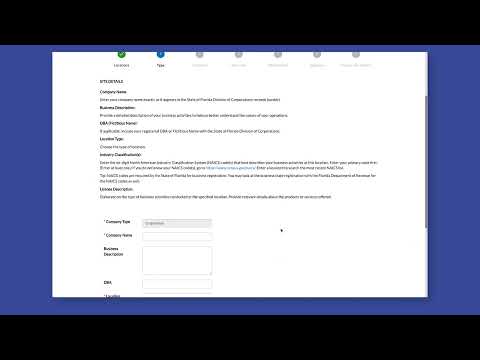
Applicants first add the business location by selecting the location box and clicking Add, then complete all required fields. The staff member instructed applicants to enter a six-digit NAICS code that best describes the business’s activities at that location, and to enter their primary NAICS code first. If applicants do not know their code, the staff member recommended using Census.gov or the portal’s search by code or category.
The staff member said owners should be added to the application; contacts can be favorited by clicking the star icon. For the additional information section, applicants are to complete the presented form and attach required documents. The staff member noted: “Si no tienes un número F Haz clic en siguiente,” as an instruction provided in the portal flow.
For electronic signature, applicants enter their name and may draw a signature with a mouse or toggle a switch to type their name instead. After reviewing the application, applicants click Submit. The staff member concluded by reading the system confirmation: “Tu solicitud se envió con éxito.”
The instructions provided are procedural guidance for using the city’s portal and do not, in themselves, change licensing requirements or application eligibility.