Get Full Government Meeting Transcripts, Videos, & Alerts Forever!
Get email alerts on the Electronic Payments topic
No spam. Unsubscribe anytime.
How to pay invoices via the electronic services system
Summary
A staff member described step-by-step how users can locate invoices in the electronic services system, add one or more invoices to a cart, and complete payment online.
A staff member explained how users can pay invoices through the electronic services system by logging in, locating the invoice, adding it to a cart and completing an online payment.
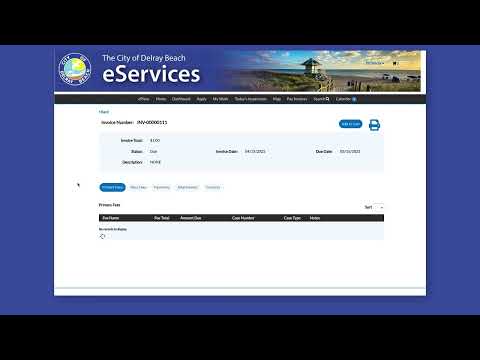
The staff member said users will receive an email with the invoice number and an attached invoice. After logging in to the electronic services system, users should open the "My Work" tab, search for the invoice by its number, click the invoice to view details and then "Agregar al carrito" ("Add to cart"). Users may add several invoices to the cart at once and use the Continue button to add additional invoices.
When users finish selecting invoices, they should click "Go to cart" to review the listed invoices. To complete payment, the staff member said, users click "Pay," choose a payment method, enter their payment information, click Continue and then click "Submit Payment." The instructions emphasized that an account login is required to find invoices in the system.
These steps were presented as user-facing instructions for navigating the electronic services portal; there was no formal vote, policy change or action taken during the recorded segment.