Get Full Government Meeting Transcripts, Videos, & Alerts Forever!
Get email alerts on the Audiovisual Streaming topic
No spam. Unsubscribe anytime.
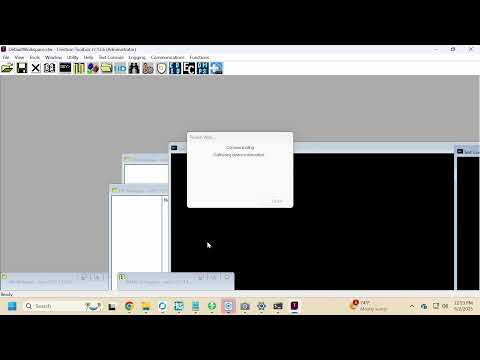
Technicians troubleshoot livestream UI, plan HDMI swap during meeting setup
Summary
Staff members troubleshooting a meeting livestream discussed inconsistent button labeling, missing active-state indicators for recording and streaming, and decided to swap HDMI inputs and consider a code change to fix the display and popup behavior.
Staff members troubleshooting a meeting livestream spent the session addressing user-interface labeling, missing active-state indicators for recording and streaming, and the mapping of HDMI inputs to the stream processor, ultimately agreeing to swap HDMI inputs and pursue a software tweak, staff said.
The discussion matters because the county’s public meetings rely on that streaming setup to show presentations and camera feeds correctly for remote viewers, and the technicians focused on fixes intended to reduce confusion during live broadcasts.
Technician 1, a staff member, described how the interface currently behaves: “When we select full screen, that is full screen cameras. Right? That’s what we see. Side by side gives me our program content as a little window, a picture in picture. If I hit stop content, I get full stream content.” Technician 2, a staff member, agreed and noted the way the pop-up and the stream button interact can leave no visible indicator on the button after the confirmation popup closes.
Technicians raised two user-experience problems repeatedly: (1) buttons labeled for functions that do not match their behavior and (2) the recording and YouTube stream controls not visually showing an active state. “The only thing currently, the only thing I don’t like about those is when I select them … your YouTube stream 1 doesn’t go dark to show it’s active,” Technician 1 said, illustrating the confusion operators can face.
To address those issues, Technician 2 said they would remap the pop-up to a different “join” so the button could show an active state and make the stream button visually darker when active. Technician 1 asked whether the HDMI inputs should simply be swapped at the SMP; Technician 2 confirmed: “So for getting it done, you want me to just go switch those HDMIs? Yeah. Awesome.” Technician 1 also said they wanted to issue a code change but noted possible local computer or toolbox issues might affect testing.
Technicians documented other troubleshooting steps: swapping HDMI inputs to the SMP so “full screen” would show the presentation (laptop/computer), ensuring picture-in-picture shows a small camera window over program content, and restarting the toolbox or the computer if the toolset locks. Technician 1 reported occasional toolbox/window-focus problems and recalled a prior incident that required restarting the toolbox over the previous Friday.
The technicians also flagged operational handoffs: capturing photos of the original touch-panel layout to show the customer where buttons moved, texting those photos for verification, and contacting Joel Brisson for coordination if further help is needed. They said they would test the HDMI swap and the interface changes and restart hardware or software if problems recur.
Technician 1 and Technician 2 emphasized they would consult the meeting host before making wording changes to avoid forcing users to relearn the system: Technician 2 said, “I would talk to the customer about that and say, hey. We’re gonna change this wording, but here’s why.”
Technicians planned immediate, practical fixes (HDMI swap and remapping the popup) and a possible later code change to improve active-state feedback; they also noted that toolbox restarts sometimes resolve window-focus issues. No formal motion, vote or external authority was discussed during this technical troubleshooting exchange.
Future testing and confirmation with the meeting host were the next steps; technicians said they would make the HDMI swap and follow up with the host about labeling preferences and whether a code change is warranted.