Get Full Government Meeting Transcripts, Videos, & Alerts Forever!
Get email alerts on the Business Tax Portal topic
No spam. Unsubscribe anytime.
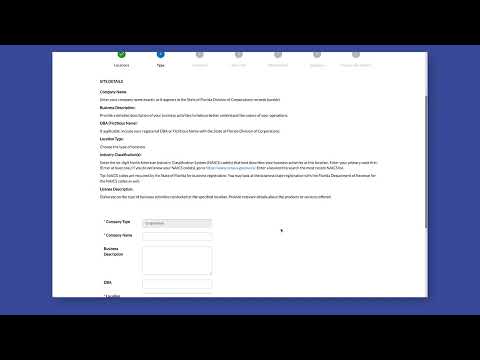
Delray Beach staff walk businesses through online tax and license application portal
Summary
A City of Delray Beach staff member demonstrated how business owners can use the city's online portal to apply for business tax and related licenses, emphasizing NAICS classification, required uploads and an electronic-signature option.
A staff member of the City of Delray Beach explained how businesses can submit business tax and license applications through the city's online portal, including steps to select an application type, add a six-digit NAICS code, upload required documents and complete an electronic signature.
The demonstration matters because it lays out the process local businesses must follow to obtain or renew business tax receipts and permits and shows how applicants can track application status and receive notifications through the portal.
Staff instructed users to open the portal, use the search bar if needed, and select the Business Tax (business tax/receipt) application category. Applicants should choose the appropriate application type, then add a six-digit North American Industry Classification System (NAICS) code that best describes their primary activity. The presenter said the system supports searching NAICS by number or by category inside the portal.
The presenter said applicants must add owner and contact information in the application and upload required supporting documents; the transcript did not specify which documents are required for every application type. For identification fields, the presentation referenced entering a social security number; the transcript did not state whether an employer identification number (EIN) is an acceptable alternative.
For electronic signing the portal allows entering a numeric code to sign electronically or choosing to sign manually; the presenter described an option to enter a number (the transcript referenced —four digits—) or to change to a manual/typed signature before submitting. After review, applicants click Submit and the portal confirms successful submission and provides status tracking and notifications.
The presentation also called out several labeled fields that were not fully explained in the transcript (referenced as "F" and "IAN"). Those field labels and their exact required values were not specified during the demonstration.
Staff directed users to the portal's help/search features for additional guidance and to follow the on-screen prompts to review and submit their application. The presenter said the portal will show progress and notify applicants of status changes but did not provide a phone number or email in the recorded remarks.