Get Full Government Meeting Transcripts, Videos, & Alerts Forever!
Get email alerts on the Student Mental Health App topic
No spam. Unsubscribe anytime.
Cumberland County Schools rolls out Alongside mental‑health app for grades 6–12
Summary
Cumberland County Schools described features, safety procedures and early usage data for the Alongside student mental‑health app during a Family Academy session; parents must give permission and severe‑risk alerts go to school staff and crisis resources.
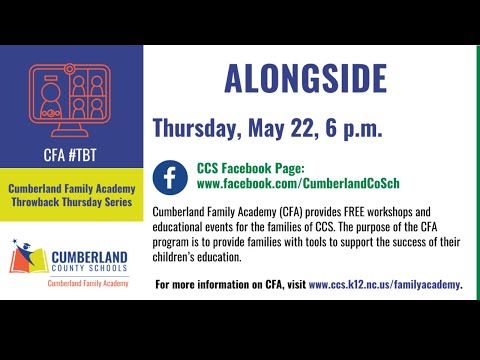
Cumberland County Schools on a recent Family Academy Facebook Live session outlined how the district has deployed the Alongside mental‑health app for students in grades 6 through 12, describing the app’s features, safety protocols and early usage data and urging parents to review a district demo and provide permission before students enroll.
The district said the app gives students a private space to journal, watch short mental‑health videos, set goals and track mood; a chatbot called Kiwi guides exercises and flags safety concerns for school staff and crisis resources. “It’s an app that students can use either on their computer or on their phone, and it’s where students can receive immediate mental health support,” said Dr. Natasha Scott, executive director of student services for Cumberland County Schools.
District officials said the app is intended to complement—not replace—school counselors and social workers. “It’s meant to work alongside the counselor and the social worker,” Scott said. The district requires parent permission before a student may use the app and said a public demo and sign‑up instructions are available on the Cumberland County Schools website.
School staff described how alerts and follow up work. “The only time we receive an alert is when a student is talking about something that refers to harm of someone, either themselves or someone else,” Scott said, describing the district’s decision to limit staff notifications to safety‑related content. She added that when severe concerns appear the app can prompt a Columbia Suicide Severity Rating Scale screening and provide a link to call or text 988; if a safety alert occurs the building principal and multiple central‑office staff also receive text and email notifications so someone will follow up.
Counselors and social workers on the panel described real cases where the app prompted outreach. Margaret Leminer, a counselor at Max Abbott Middle School, recounted receiving a late‑night alert during spring break and calling the student’s parent at 9 p.m. to check on the family: “She was so appreciative that I took the time to want to call,” Leminer said, and the call helped begin an ongoing conversation between the parent and school staff.
School practitioners said back‑end analytics are summarized at an aggregate level without names. District slides shown on the session reported roughly 198 active student accounts at the time of the presentation, about 92 repeat users, vendor metrics rating activity helpfulness at 90.6 (vendor scale), and more than 1,000 student activities completed. The district also reported that more than 700 parents had returned permission forms but encouraged families who have given permission to complete student account setup so children can begin using the tool.
Students and parents on the panel offered perspective on usability and trust. Dallas Daniels, a student at Southview High School’s IB academy and a district ambassador for the app, said, “Well, I think it’s a great app. It was very well developed and well put together,” and described using the app for breathing exercises and goal setting. Parent Angel Walters urged other parents to “do your research” but to consider the app as an additional resource: “If they wanna try it out, I would say go ahead and let them do that,” Walters said.
Panelists said the district limited the initial rollout to middle and high school students because the app’s content and design were developed for adolescents; they said the vendor uses teenage advisory input. The panel also said Cumberland County Schools staff are exploring other, non‑app resources appropriate for elementary students.
District staff showed parents how to access a vendor demo and the district’s Alongside landing page, which includes a “see a demo” link and a QR code. Scott explained that students who try to sign up without a returned permission form cannot proceed past initial screens and that welcome emails from the vendor typically arrive within about 24 hours after the school processes a permission form.
The session closed with panelists emphasizing that Alongside is one tool among many for student well‑being and that school counselors, social workers and families remain responsible for immediate safety and follow up. For parents who want to review the app before consenting, the district’s Alongside landing page offers a demo and instructions to request a live vendor demo.