Get Full Government Meeting Transcripts, Videos, & Alerts Forever!
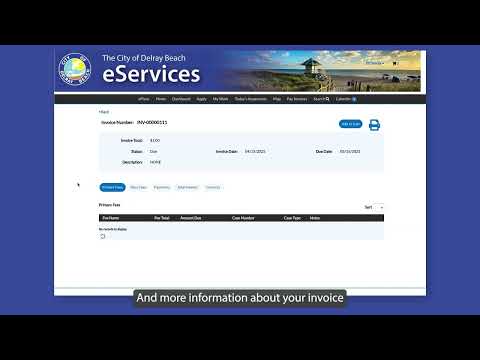
Staff explains how to find and pay invoices in e‑services system
3353722 · May 17, 2025
AI-Generated Content: All content on this page was generated by AI to highlight key points from the meeting. For complete details and context, we recommend watching the full video. so we can fix them.
Summary
A staff member detailed step‑by‑step instructions for locating invoice emails, adding invoices to a shopping cart in the e‑services system, and completing checkout and payment.
A staff member provided step‑by‑step instructions on how to find and pay invoices through the e‑services system, saying users will receive an email with the invoice number and an attached invoice when a bill is due. "When an invoice is due, you will receive an email with the invoice number and an invoice attached," the staff member said.
The staff member said users should log…
Already have an account? Log in
Subscribe to keep reading
Unlock the rest of this article — and every article on Citizen Portal.
- Unlimited articles
- AI-powered breakdowns of topics, speakers, decisions, and budgets
- Instant alerts when your location has a new meeting
- Follow topics and more locations
- 1,000 AI Insights / month, plus AI Chat
30-day money-back on paid plans