Get Full Government Meeting Transcripts, Videos, & Alerts Forever!
Get email alerts on the Community Survey topic
No spam. Unsubscribe anytime.
Shakopee Public School District shares instructions for community feedback survey
Summary
Shakopee Public School District distributed a brief audio/web instruction describing how community members can complete an interactive feedback survey online, how responses remain anonymous, and how participants can view and rate peers' submissions.
Shakopee Public School District released an audio instruction outlining how community members can complete an interactive feedback survey designed to gather thoughts from the school community. The message says the survey takes less than five minutes and can be completed on any smart device by following a link or scanning a QR code sent by the district.
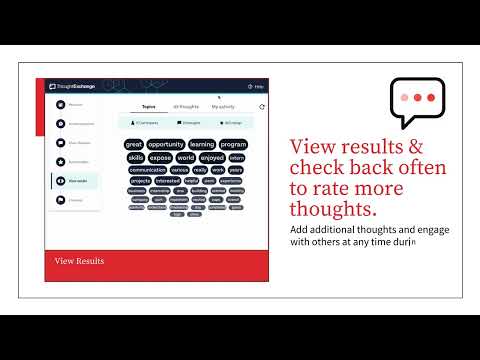
The recording explains the survey contains multiple-choice questions and a separate "share a thought" section where respondents can add free-text feedback and explain why it matters. All responses are described as anonymous. Participants are encouraged to read and rate other submissions; the message notes an interactive results page will be shared with the broader school community after the survey closes and feedback is reviewed.
The instructions also note the survey allows participants to return and add more thoughts after their initial submission, and that viewing results provides participation statistics and keywords that group responses. No meeting discussion, votes, or policy decisions were described in the recording.