Get email alerts on the Permit Revisions topic
No spam. Unsubscribe anytime.
Pasco County staff outlines online steps to submit permit plan revision requests
Summary
Pasco County staff described how applicants can submit revisions to approved plans through the agency’s online portal, including where to find the new revision button and that an approved revision produces a reconciled set of plans for download.
A Pasco County staff member said applicants must use the agency’s online portal to submit revision requests for approved plans, logging in, selecting the permit record, and using the plan room uploads tab to begin the process.
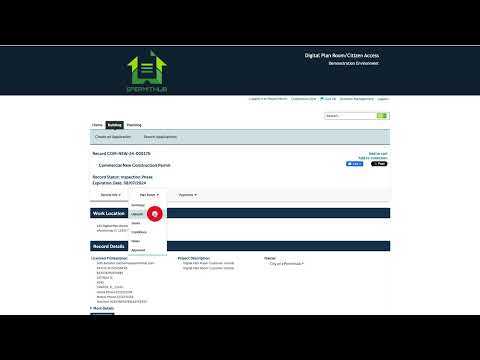
The staff member said: "To submit a revision request for your approved plans, log in to the Agency's online portal and navigate to your list of permits and applications. Select the record for which you are submitting a revision. From here, under the plan room menu, click on uploads. Once on the uploads tab, any permits in a record status eligible for a revision will display a new revision button. Click on the button to begin submitting your revision to approved plans." That guidance covered the core navigation steps for applicants using the portal.
The presentation noted the subsequent steps mirror the permit application workflow: "From this point forward, you'll be submitting a review package. This is the same process you followed in your previous permit application. If you need more information on these steps, please refer to the uploading plans and documents and the submitting corrected plans and documents tutorial videos." The staff member added that upon approval of a revision, "a complete reconciled set of plans will be generated and made available for you to download."
Pasco County staff emphasized that only permits whose record status is eligible for a revision will show the new revision button; the staff member did not list which specific record statuses qualify. The presentation directed applicants to the posted tutorial videos for step-by-step help rather than listing additional troubleshooting details during this briefing.
No formal actions, votes or deadlines were stated in the transcript excerpt. The remarks were instructional, intended to explain the portal workflow and direct users to online tutorial materials for additional information.
AI generated
The text on this page is AI generated. Summaries, highlights, analysis, and video transcripts are all produced from the original source material.
AI can make mistakes, so if you spot one, and we will fix it for everyone.
Note: the source content is unaltered by us. Any content source we link to, be it a video, an audio recording, or a document, is presented exactly as its publisher released it. That publisher is usually a government body, sometimes an individual official or another organisation.