Get Full Government Meeting Transcripts, Videos, & Alerts Forever!
Get email alerts on the Building Permits Plan Review topic
No spam. Unsubscribe anytime.
Pasco County explains how to view and respond to plan-review comments in online portal
Summary
Pasco County’s online training explains how applicants access reviewer comments, distinguish issues from conditions, respond with narrative explanations, and upload corrected documents once all disciplines have answered issues.
Pasco County staff outlined steps for applicants to view and respond to plan-review comments through the county’s online portal in a recorded training segment.
The training explained why the process matters: issues flagged by plan reviewers must be answered and, if required, corrected documents submitted before plans can be approved, while conditions may be noted on approved plans and satisfied later in the project.
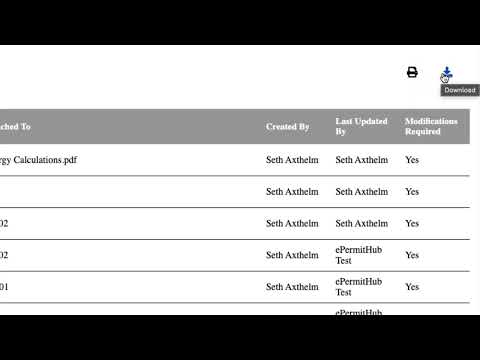
According to the training, applicants receive an email after a plan-review cycle is complete with a link labeled “issues.” Clicking that link opens the Pasco County online portal and takes the user directly to an issues list where comments and markups from plan reviewers are collected. The list can be sorted by column headers such as discipline, “attached to,” or last-updated date, and can be filtered by one or more disciplines or issue statuses. The training also demonstrated an export feature: a print icon that lets users print, save a PDF, or download the comments list in spreadsheet format.
The narrator defined three types of reviewer annotations: “issues,” “conditions,” and “notes.” The training said, “Issues are comments and markups identified within the plans and supporting documents that require a response and, if indicated, submission of corrected documentation before plan approval.” It added that conditions are comments or markups that may need to be satisfied later in the project and do not prevent plan approval, and that notes and conditions may be included on approved plans and visible to both the applicant team and field inspectors.
To respond, the portal displays an issue panel with the issue title and description and indicates whether a corrected document is expected. Applicants are instructed to enter a narrative response in the applicant’s response field and click save; after saving, the issue status changes from “open” to “answered.” The training stressed that all issues must be answered by all plan-review disciplines before applicants may proceed to the uploads tab to submit corrected sheets or supporting documentation. If a review comment includes a reference to a code section, the portal shows a link for more details, and the plan viewer supports panning, zooming and magnifying to the related location on a page.
The training concluded by directing viewers to an on-demand issues report feature that can include individual plan sheets and supporting document pages with attached markups for items that were in open or answered status at the time the report was generated, and by noting a follow-up training video for additional guidance.