Get Full Government Meeting Transcripts, Videos, & Alerts Forever!
Get email alerts on the Digital Communications topic
No spam. Unsubscribe anytime.
Mount Vernon City staff explain how to submit content to the city's online portal
Summary
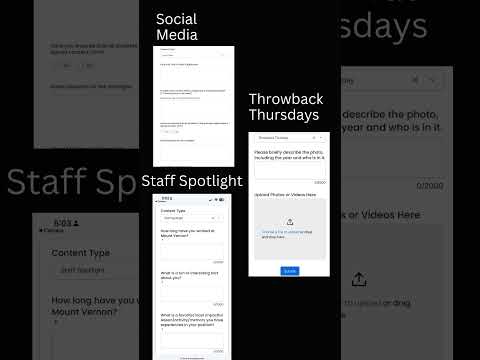
Staff outlined step‑by‑step instructions for submitting content to Mount Vernon City's online portal, detailing required fields, content-type options and an option to upload photos.
Staff provided step‑by‑step instructions for submitting content to Mount Vernon City's online content portal, explaining required fields, content‑type options and how to attach photos before submitting.
The guidance said contributors should enter their name, title, email address and job title or department, then choose the building where the content originated or took place. Users are instructed to select a content type; the transcript identified “social media” (any item to be posted on city social channels) and “staff and new staff spotlights” (questionnaire format) as examples. The presenter said selecting a content type causes additional, type‑specific questions to appear on the form.
The instructions also describe an option to upload photos from a device or take a photo at the time of submission. After completing required fields and any additional questions for the chosen content type, users are told to click “submit.”
No formal vote, policy change or implementation deadline was recorded in the transcript. The transcript contained only procedural instructions on how to use the submission form; it did not include contact details, a web address, or a timetable for rollout.