Get Full Government Meeting Transcripts, Videos, & Alerts Forever!
Get email alerts on the Budget Transparency topic
No spam. Unsubscribe anytime.
Laramie releases Open Finance demo showing how to view city budgets and spending
Summary
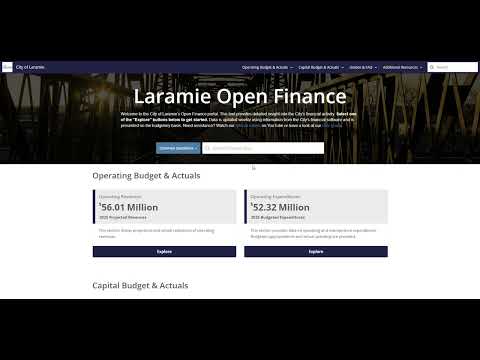
A city staff member demonstrated Laramie’s Open Finance data platform in a recorded instructional video, showing how residents can search funds, filter by department, and view personnel spending; the video notes the city’s fiscal year runs July–June and links to a follow-up features video.
An unnamed city staff member demonstrated the City of Laramie’s Open Finance data platform in a recorded instructional video, showing how residents can search and filter the city’s budget and spending records.
The staff member said the tool is “available to everyone as a part of the city's continued commitment to using technology to improve financial transparency,” and walked viewers through using the site’s search box, built-in links and filters to answer questions about city financial activity.
The video explains that the site is separated into capital and operating sections, each split into revenues and expenditures, and that funds are the basic unit for recording governmental financial activity. For the demonstration the presenter selected operating expenditures, then the general fund and the fire department to narrow results. The presenter showed viewers how to change the data granularity using a dropdown to pick either category or account and chose the category view to find personnel spending for the fire department. “We can hover over the bar graph to get more details,” the presenter said while demonstrating the interface.
On the left sidebar the presenter pointed out the active filters and showed how to unfilter for a broader view. The video also notes that users can select prior fiscal years from a menu; the presenter stated Laramie’s fiscal year runs from July through June. The video links to a second features video for further functionality.
The recording does not include a named presenter, no formal questions or votes were recorded, and no policy or budget actions were taken during the demonstration. The video is presented as an instructional guide to help residents and other users navigate the Open Finance tool.
A follow-up features video is linked in the recording’s description for users who want more advanced instructions.