Get Full Government Meeting Transcripts, Videos, & Alerts Forever!
Get email alerts on the Meeting Operations Av topic
No spam. Unsubscribe anytime.
Northampton County staff outline Zoom Room, camera and microphone changes for council meetings
Summary
County staff described a planned switch to Zoom Rooms, changes to cameras and TV displays, limits on phone call-in participation and new microphone controls intended to reduce feedback and improve remote participation.
County staff at a Northampton County Council meeting described planned changes to the chamber’s audiovisual and remote-participation setup, including a shift to a Zoom Room configuration, new camera usage and tighter control over microphones.
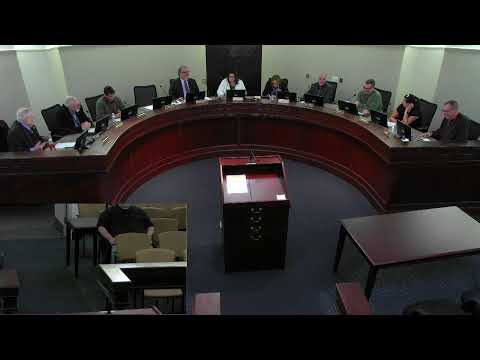
The presentation, given at the start of the meeting by an information-technology staff member, said the chamber has three cameras (two currently active), one of which — the podium camera — will be disconnected. The camera over a council member’s seat is being used to record the speaker at that position, and a third camera will be capable of zooming in on speakers when activated. Staff also explained three sets of TVs: two behind the audience that can show the same or different content, a set facing the dais, and additional monitors on the dais. The presenter noted a limitation of many streaming platforms, saying “the picture in picture for YouTube and several broadcast mediums is 1 picture in picture.”
Why it matters: the changes are intended to reduce audio feedback, avoid lag and improve the experience for remote participants and in-person attendees. The staff member said the Zoom Room approach should remove buffering and feedback loops that resulted from earlier phone-based call-ins and mixed audio sources.
Details provided by staff included: - Remote participants must use the Zoom client (the Zoom Room annex) and will appear as separate participant windows; phone call-in without the Zoom client will not be supported because it causes lag and feedback. - All microphones in the room will be controllable by the council clerk or designated staff in the back of the room; the presenter said, “Aileen or Jen can do it from their positions in the back.” - Presenters will no longer plug directly into a dais computer; slides must be submitted in advance to IT so the meeting producer can load and advance them remotely. The presenter described a remote-control workflow for slides operated from a computer in a closet and forwarded by a person producing the meeting downstairs. - The Zoom Room was not expected to be available for the council’s second meeting of the year because of licensing and testing; staff said, “I probably will not have it set up for 2nd meeting of the year that you'll be able to use the Zoom room and everything will be fine. It's a licensing and testing issue right now.”
Staff also advised that, for executive sessions, remote members should disconnect from the Zoom room and join by a separate conference phone to avoid inadvertently broadcasting a closed session and to prevent feedback loops. The presenter said that approach would avoid “broadcast[ing] an executive session inadvertently.”
There was no formal vote on these operational changes during the meeting; staff characterized many items as implementation and testing work that will continue before the Zoom Room is enabled for remote members. The council did not adopt a new formal policy during the meeting.
The county’s timetable for fully enabling the Zoom Room and any updated written procedures was not specified during the presentation.