State Water Resources Control Board explains how to deactivate devices in RWTD portal
Summary
A State Water Resources Control Board staff member published step‑by‑step instructions for deactivating devices in the RWTD portal, noting that inactive devices cannot be added to applications and will be removed after five years of inactivity. Support is available via wtdevices@waterboards.ca.gov.
A State Water Resources Control Board staff member outlined how to deactivate devices in the Regional Water Tracking Database (RWTD) portal, saying the step is intended to prevent inactive hardware from being used in applications.
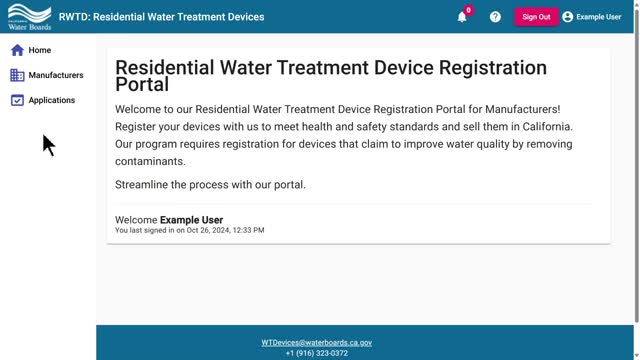
The staff member summarized the process: sign in to the RWTD portal, open the manufacturer section, select the manufacturer linked to the device, go to the devices tab, open the device details, and click “inactivate device” at the bottom of the page. The presenter added that users can later reactivate a device by clicking the “activate” button.
Why it matters: the staff member said, "Inactive devices cannot be added to applications, and if they are inactive for more than 5 years, they will be removed from the RWTD portal." That rule prevents long-unused device entries from remaining in the system and affecting application workflows.
Steps provided in the video are procedural only; no policy change or formal board action was recorded. The presenter included a support contact for questions: wtdevices@waterboards.ca.gov.
The guidance applies to device administrators and manufacturers who maintain entries in the RWTD portal. The video did not specify exceptions, appeals processes, or how removals after five years are communicated to registrants.