State Water Resources Control Board explains RWTD device registration process
Summary
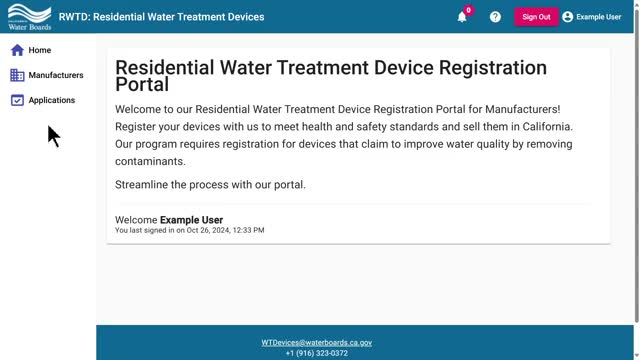
State Water Resources Control Board staff walked through how to create and submit a device registration application in the RWTD portal, including required fields, acceptable file formats, how to add multiple devices, and the agency contact for questions.
State Water Resources Control Board staff demonstrated how to submit a device registration application using the RWTD portal and outlined required documentation, file-format limits and the review process.
The portal requires applicants to sign in, open the Applications section, click Add Application, and select the manufacturer for whom they are filing. One dropdown concerns a decal required under California Health and Safety Code section 116,835; that dropdown must be completed before an application can be created.
The tutorial explained how to add devices to an application. Applicants can import saved device entries from the Manufacturer section or click Add Device. If a device is not listed in the manufacturer section, users must enable the Add New Device slider and fill all required fields before saving.
Required documentation includes a performance datasheet and a certifying-organization listing. If the performance datasheet is hosted online, users may paste a URL into the datasheet URL field or upload a document. Uploaded files must be PDF, ZIP, or DOC format and less than 10 megabytes. The presenter said applicants should provide one certifying-organization URL; staff will locate any additional listing links if multiple exist.
Applicants must also provide exterior packaging for the device, either by URL or by upload in the same accepted formats and size limit. The presenter advised applicants registering more than one device to add all devices to the application before submitting it.
After completing required fields, applicants should click Save, review the application, then click Submit Application. "Please review all the text on screen before clicking the submit application button to confirm your submittal," the staff member instructed.
If review staff find discrepancies between a device’s information and the submitted documentation, the application or specific devices will be rejected and staff will provide reasons. Applicants must make the requested changes and resubmit. When staff approve all devices in an application, the applicant receives an automated email with an invoice.
For questions, the presenter directed users to contact the agency at wtdevices@waterboards.ca.gov.