Get Full Government Meeting Transcripts, Videos, & Alerts Forever!
Get email alerts on the Education Reading Screeners topic
No spam. Unsubscribe anytime.
San Marino Unified outlines SB 114 K–2 reading screeners: mCLASS DIBELS 8 for kindergarten, Stanford ROAR for grades 1–2
Summary
The district presented the new statewide SB 114 screening plan, announcing Amplify mCLASS with DIBELS 8 for kindergarten and Stanford's ROAR for grades 1'and 2, with testing windows, opt-out procedures and family reporting details.
San Marino Unified School District on a virtual Parent Information Night said it will use Amplify mCLASS with DIBELS 8 to screen kindergarten students and Stanford University's ROAR (Rapid Online Assessment of Reading) to screen first- and second-graders to comply with California Senate Bill 114.
Dr. Richter, Assistant Superintendent, told parents that “the screener is not a test or an assessment that affects grades,” and said the district selected the two screeners from the state-approved options because teachers found them “evidence based, easy to administer, and provide our teachers with actionable data to guide instruction.”
The screenings are intended to identify students at risk for reading difficulty early so teachers can provide targeted support. The district said kindergarten screening will occur the week of Feb. 2–6 and that first- and second-grade screening with ROAR is scheduled for the week of Nov. 7. Families will receive results within 45 days of the testing window via ParentSquare and a “home connect” results letter that explains overall and subskill performance and suggests at-home activities.
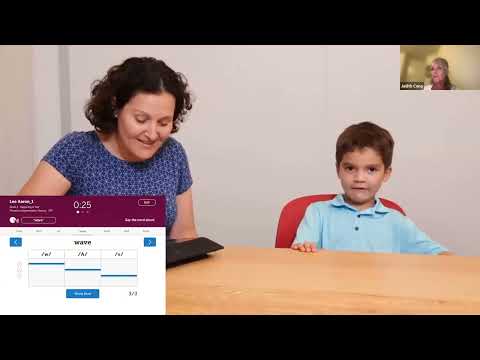
Judith Senta, an Amplify representative, described mCLASS with DIBELS 8 as a one-on-one, research-validated set of brief subtests that measure early literacy skills including letter naming, phonemic awareness, nonsense word fluency and word reading fluency. Senta said the tool has a long research record and called it “the gold standard for screening of early literacy skills” used in multiple states and aligned to the science of reading.
Crystal (district Educational Services staff) explained ROAR as a brief, game-like, web-based screener developed by Stanford that can be given to small groups or whole classes and typically takes three to 15 minutes per student. ROAR reports include tags indicating whether a score is reliable and a colored recommendation (green = achieved, yellow = developing, pink = needs support). Crystal noted ROAR provides raw, standard and percentile scores and that the district will post the slide deck and videos on its Educational Services webpage.
Both presenters said families may opt out. Crystal explained parents who wish to opt their child out of either screener must submit an opt-out within 15 days before the test administration; the district will send opt-out forms via ParentSquare. For ROAR specifically, Crystal said the tool is connected to Stanford research, and parents may opt their child out of the research study while still allowing their child to take the screener; she said identifying information is removed from any research data.
The district emphasized that the screening is not a disability diagnosis or a high-stakes test. Results are intended to inform instruction and intervention tiers; teachers will use built-in reports and resources (Amplify's Home Connect site and ROAR reports) to plan supports and to communicate results to families. Dr. Richter also reminded parents that the i-Ready diagnostic will continue to be administered three times a year for grades K–5 and that the new screeners are an additional data source to “triangulate” student reading information.
The presentation noted practical details for families: Amplify's Home Connect materials include activities and can be viewed in Spanish via a one-click translation; ROAR reports will be delivered within the same 45-day timeframe as Amplify; and the district will compile a FAQ from chat questions and post it on the Reading Risk Difficulty Screener page of the San Marino Unified website.
Parents with questions were directed to contact their child's principal or the district Educational Services department. The district thanked its technology support (Mr. Kwok/Qua Hong) for the virtual format and closed the session after the overview and a reminder about the district website for materials and the FAQ.