Get Full Government Meeting Transcripts, Videos, & Alerts Forever!
Get email alerts on the Charter School Grants topic
No spam. Unsubscribe anytime.
Tennessee webinar details ePlan funding-application steps, deadlines for charter school grants
Summary
Tom McGrath of the Tennessee Department of Education led a webinar explaining how charter schools must complete funding applications in ePlan, the department's grants management system, covering roles, deadlines and budgeting rules for federal grants such as the Charter School Program (CSP).
Tom McGrath, manager of charter grants for the Tennessee Department of Education, led a webinar explaining how Tennessee charter schools should complete the funding application in ePlan, the state's online grants management system, and how that application fits into the grant life cycle.
McGrath said the funding application is the first of three grant stages and that "only costs approved in your funding application are eligible for reimbursement." He described the required user roles, the budget-detail workflow, document uploads, and the school- and TDOE-level approval sequence that must occur before reimbursements can be requested.
The webinar outlined why the funding application matters: it controls which planned expenditures are eligible for grant reimbursement and is reviewed by TDOE staff before schools may submit reimbursement requests. McGrath emphasized procedural steps intended to reduce errors and speed approvals, including starting a draft in ePlan, saving frequently, and using the history log for status changes.
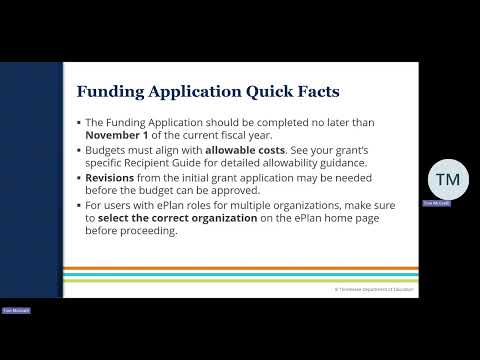
Key procedural details presented include that all charter school grants are administered on a fiscal year running July 1 to June 30; each active grant requires a funding application and a final expenditure report for each fiscal year; and the funding application should be completed "no later than November 1 of the current fiscal year." McGrath also described a common budget practice: using a quantity of 1 and placing the total cost in a single line-item narrative when multiple purchases fall under the same account number, while providing a detailed breakdown in the narrative.
On user roles and internal controls, McGrath said at least two different users must be listed as approvers and described three core roles that schools should fill: the LEA grant director (title may vary by grant), the LEA fiscal representative, and the LEA authorized representative. "One contact can serve more than one role," he noted, "but to ensure appropriate internal controls within your school, at least two different staff members should be listed as approvers." He also described how ePlan notifies users after each status change and where to find and submit the ePlan user access form.
Budget guidance in the presentation stressed aligning expenses to the most specific allowable line item, including narrative details (type of item, number, cost per unit, contract counterparty and estimated service dates for contracted services). McGrath warned that revising a budget midyear is permitted but that ePlan imposes a maximum of 10% overage for a planned line item before a revision is needed. He also described the related documents section where signed grant assurances must be uploaded and noted that errors must be fixed before an application can be submitted; warnings may or may not require action.
On submission flow, McGrath explained that after a school's internal approvers sign off in ePlan, the application is routed to TDOE for review. If TDOE approves, the school may begin submitting reimbursement requests; if not, TDOE returns the application with required corrections and the school can reopen the draft to revise and resubmit. McGrath encouraged direct contact for questions and provided an ePlan support contact for user-access forms.
The webinar concluded with a practical walkthrough of the ePlan interface (how to select the correct organization, open a draft, access sections, add budget details and copy prior-year budgets) and reminders to save work and confirm that the budget totals reconcile to the awarded allocation before submission.
ACTIONS: No formal motions or votes were recorded in this webinar; the session provided procedural guidance and did not adopt policy or award funds during the presentation.