Get Full Government Meeting Transcripts, Videos, & Alerts Forever!
Get email alerts on the Meeting Minutes Configuration topic
No spam. Unsubscribe anytime.
Olmsted County staff and Legistar trainer set minutes workflow, attendance and consent rules for county meetings
Summary
County staff and a Legistar trainer agreed on configuration changes for the minutes module including renaming "final" to "approved," removing an "excused" attendance option, enabling multiple referrals, and standardizing consent-vote handling. Training and next steps were scheduled.
Olmsted County staff and a Legistar trainer met in a configuration session to set how the county will use Legistar’s minutes module, agreeing on status labels, attendance tracking, consent voting procedures and referral workflows for board and committee meetings.
The meeting was a product demo and configuration workshop rather than a formal public hearing. Staff and the trainer focused on how minutes should be drafted, published and presented on the public portal, and on practical steps to reduce repetitive work for clerks and meeting administrators.
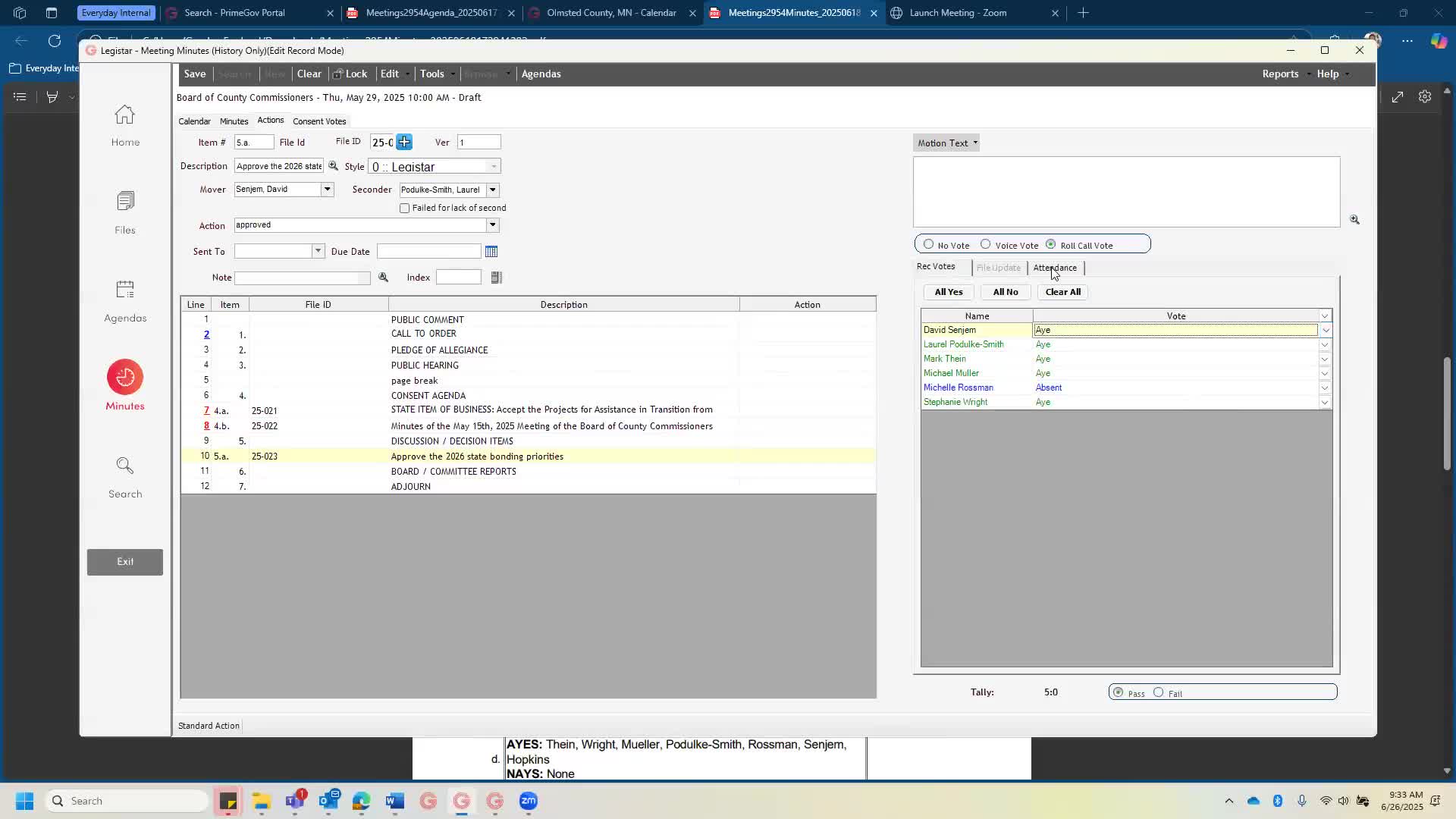
The trainer said minutes begin as draft and can be published; participants asked that the system show minutes as "approved" (not "final") after they are signed off. The trainer confirmed she would rename the built-in status accordingly. Staff also agreed to remove the "excused" attendance status from the default attendance options and to keep "present" and "absent;" they decided to retain both "abstain" and "recused" as vote options. The trainer demonstrated how attendance controls which members are eligible to vote and how repeated attendance captures can be recorded when members arrive late or leave early.
On votes and consent items, the group favored Legistar’s consent-vote workflow: staff will highlight consent items, select a single mover and seconder, and record one roll-call consent vote that applies the appropriate preconfigured action to each consent item. The trainer demonstrated a sample consent vote and described options for including simple action words (for example "approved") under each consent item in the produced minutes report.
The trainer also walked through vote types and recording options: non-recorded voice votes, roll-call votes that list each member’s vote, and a summary tally. Participants confirmed the county uses a simple majority (51%) threshold and that absent or recused members should not count toward the yes/no tally; the trainer said Legistar’s tally treats only ayes and nays as votes for the tally, which matched staff preference.
Several workflow features and data fields were enabled or scheduled for setup. Staff asked to enable the multiple-referrals ("dominoes") function so an item can be staged on committee and county board agendas automatically; the trainer enabled that feature and explained staff may either prebuild referral chains during drafting or add referrals after the first committee action. The group also discussed how items that fail are handled; staff preferred to treat most failures as requiring a new agenda item for subsequent meetings, but agreed it is possible to clear a final-action date and bring an item back if needed.
On minute content and formatting, the trainer showed the rich-text notes box (about 5.5 pages of Word-equivalent space per note) and demonstrated copying from Word, email, or the live minutes tool. The trainer warned that very long single notes need to be split into multiple lines but said copy/paste from Word generally preserves basic formatting and lists. Staff confirmed they will continue copying text from Word most often.
Other configuration details the team addressed: - Add standard paragraphs (templates) for commonly used minutes text such as call-to-order language and lists of non-voting attendees. These can be stored per meeting body for reuse. - Add a non-voting attendance type (for committee meetings where BOCC members sometimes sit in without voting) so those people appear in minutes lists but are not eligible to vote. - Add a configurable "strategic priorities" dropdown (the county requested five priorities: Community safety first; Community trust; Effective and engaged workforce; Environmental sustainability; Responsible growth and development). Staff decided on a primary dropdown with an optional second-selection path if needed. - Add action labels such as "discuss" and "adjourn" and confirm the system can record multiple votes on the same item (copying an item to a second line to record an amendment vote, if the county chooses to capture amendment votes separately). - Attach public handouts provided during public comment as meeting-level files on the portal (not tied to a single agenda item) and confirm staff can scan and upload wet-signed agreements as required.
The trainer noted integrations to check: Swagit (video streaming) and Legistar’s live minutes tool. Staff will confirm with Lisa whether the live minutes tool is included with Swagit; if it is, the live tool can reduce manual entry during meetings. The trainer also described post-meeting features in Insight: item-level media clips, per-item histories, and final action dates that Legistar will apply automatically based on recorded actions.
Next steps and scheduling: the trainer will rename the minutes status and remove the "excused" attendance option; she will add requested actions ("adjourn," "discuss"), enable multiple referrals, and prepare sample PDF minute layouts showing the county’s preferences for review. Staff set an internal target to complete approval-tracking sequence decisions well before August training; the trainer requested a week’s lead time prior to the start of the planned August drafter training. A follow-up configuration/training session on administration and office-member maintenance was scheduled for the following week.
The session was a working configuration meeting rather than a policy-making public meeting. No formal votes or ordinances were taken; the outcomes recorded here are configuration decisions and documented next steps for implementation and training.