State board staff demo new WDO reporting system; credit-card payments and duplicate checks highlighted
Get AI-powered insights, summaries, and transcripts
SubscribeSummary
Staff for the Structural Pest Control Board demonstrated a new Wood-Destroying Organism (WDO) online reporting system, showing how licensees can file activities, upload bulk files, add funds by credit card and manage user access; no formal board actions were taken.
Staff for the Structural Pest Control Board demonstrated a new online WDO (wood-destroying organism) reporting system during a Webex session that included a walk-through of filing activities, bulk uploads, account management and a new credit-card payment option.
Melissa Zaneta, a presenter for the demonstration, opened the session and told attendees the session was a deeper dive into the new reporting system and how to file activities and add funds. “We’re excited to take a deeper dive into to the new reporting system and demo how to file activities and add funds,” Zaneta said.
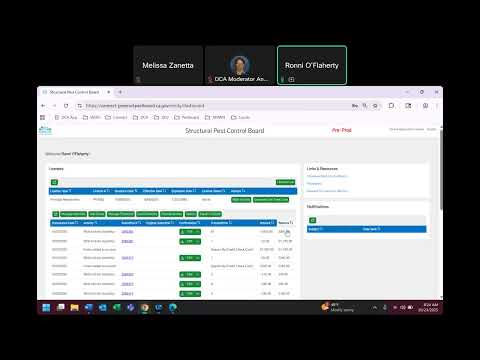
The demonstration, led by a staff demonstrator who identified themselves as Roni, showed how users will access the WDO activity button in the Connect system once reporting goes live. Roni demonstrated single-entry filing, uploading text files exported from termite programs, the pending-activity queue, and an on-screen indicator that flags incomplete entries. “The system will not allow you to upload an exact file that you’ve already uploaded, so that prevents your company from being able to file duplicates,” Roni said.
Why it matters: The new features are designed to reduce duplicate filings that previously required staff time to correct and to give companies more direct control over filings, staff access and account funding. The system adds a credit-card payment option, granular email notifications and export/search tools intended to help licensees track submittals and spending.
Key features demonstrated
- Account and role views: When logged in as a PR (paying registrant) users see filings for the entire company and all branch offices; when logged in to a branch account users see only that branch’s filings. The presenter noted some links are disabled for branch-only logins.
- Single-entry and bulk upload: Users may add activities one at a time via “add new” or upload a text file exported from existing termite software. The system flags incomplete activities in the pending queue; items missing required fields are highlighted and must be corrected before submission.
- Duplicate prevention and override: The system blocks exact duplicate uploads and flags adjacent duplicates in the pending queue with a stop/hold icon. Users can edit or delete duplicates, or explicitly override a duplicate alert to submit both items.
- Payments and thresholds: The system accepts Visa, MasterCard and Discover and allows any user with WDO access to add funds by credit/debit card; Roni said the card data are not stored in the system. A 2.3 percent service fee applies to credit-card adds, and users can set a low-balance email threshold to receive alerts when account funds fall below a specified dollar amount.
- User access and notifications: An owner or admin can add staff by entering the exact email and last name used to register in Connect, manage three types of email notifications (check posted, submittal with PDF, low-balance alert) and delete users. The presenter noted that if ownership of a company changes such that linked owners cannot be seen in the interface, licensees should contact wdo@dca.ca.gov for assistance.
- Reporting and search: Demonstrators showed a cost-summary and export-to-Excel function for transaction history and submittal records, and a two-year search window for activities by submittal number, address, transaction date, activity date, activity code or inspector.
What the demonstration did not include
- No formal motions, votes or policy decisions were recorded during the session. The event was a staff demonstration and opened to questions at the end.
- Timing and rollout specifics, including the system’s official go-live date, were not specified in the demonstration.
Ending: Staff closed the demo and opened the session for questions, and the moderator explained how attendees could raise hands in Webex or use chat at the end for those without microphones.