Get Full Government Meeting Transcripts, Videos, & Alerts Forever!
Get email alerts on the Internet Filtering topic
No spam. Unsubscribe anytime.
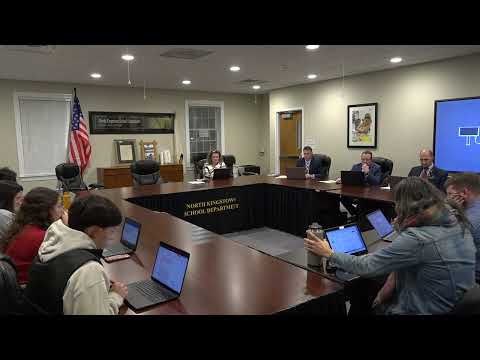
North Kingstown parents press district over students' access to social media on Chromebooks
Summary
A parent told the North Kingstown Policy Advisory Committee that students can reach social media on school Chromebooks; IT and teachers said tools such as GoGuardian let teachers block classroom access and CIPA/E‑rate rules limit district‑wide filtering, and the committee agreed to clean and advance tech policies to the School Committee.
Stacy Monstein, a parent, told the North Kingstown Policy Advisory Committee she learned that her middle‑school daughter can reach social media from a school Chromebook and urged the district to block inappropriate sites. “Students can get on pretty much any site they want to, to, including social media sites, including Snapchat, TikTok, Instagram,” Monstein said during public comment.
The district's IT supervisor, Chester Paco, and teachers described how the district balances educational uses of online platforms with safety and compliance. Paco noted that the policy edits add a clarification that “any email sent or received on the district email may be considered public documents under the Rhode Island Access to Public Records Act,” and explained technical and legal limits to broad filtering. “YouTube is kind of the one that holds the conversation really hostage because there's a lot of value, educational value to YouTube as well,” Paco said, describing why wholesale social‑media blocks can remove useful classroom materials.
Teachers and parents said classroom tools can help. Leah Thompson, a teacher and parent, described using GoGuardian to block games and manage classroom access: teachers can enable time‑limited filters during instruction and lift them afterward. Several parents said they were surprised that parent‑side blocks or home filters are not enforced when students use district devices on school networks; one parent said her GoGuardian‑based blocks on a home device are disregarded while the Chromebook is used at school.
Committee members and legal counsel discussed the federal Children’s Internet Protection Act (CIPA) and the E‑rate funding program administered by USAC. Committee members agreed to add plain‑language references to E‑rate and USAC in policy versions so parents and staff understand why the district cannot arbitrarily over‑filter: IT staff warned that overly broad blocking in a prior audit led to funding concerns. Andrew Henness, the district attorney, agreed there is no prohibition on merging related policies but urged careful drafting so the district remains compliant.
The committee directed staff to consolidate related policies, add clearer parent communications, and include classroom‑level procedures: defining “user” to include students, staff and guests; clarifying that teachers may apply classroom filters during instruction; and documenting district appeals for district‑wide blocking. Members also discussed using district communications (Aspen workflow, welcome packets, or newsletters) to disclose what categories are filtered and to help parents use GoGuardian Parent and other supervisory tools.
Next steps: the committee voted to advance the consolidated technology policy package (responsible use/log‑on usage and CIPA/internet‑filtering documents) to the School Committee for first reading and further refinement.