Get Full Government Meeting Transcripts, Videos, & Alerts Forever!
State Water Board webinar explains Cal Waters account setup and mailed PINs for organizations
Summary
State Water Board staff demonstrated how organizations should create Cal Waters accounts, use mailed PINs to link legacy water-right records, and manage admin and branch structures so multiple users can access organization-held rights.
A State Water Resources Control Board staff member explained during a webinar how organizations can set up Cal Waters accounts, use mailed PINs to link legacy records and manage multi-branch organization structures so authorized users can access and file for water-rights records.
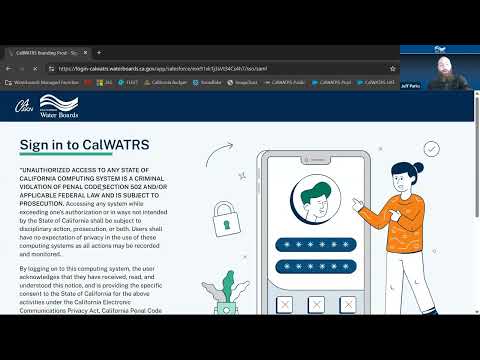
The webinar, presented by a member of the State Water Board staff, focused on the practical steps users must take when they first log in: create a new Cal Waters account (old-system credentials do not carry over), set a password, and enable two-factor authentication by phone or an authenticator app. "The webinar does not have the chat enabled," the presenter said, noting the Q&A feature would be used for attendee questions.
Why it matters: Mailed PINs are the mechanism the board used to tie legacy records to newly created accounts.…
Already have an account? Log in
Subscribe to keep reading
Unlock the rest of this article — and every article on Citizen Portal.
- Unlimited articles
- AI-powered breakdowns of topics, speakers, decisions, and budgets
- Instant alerts when your location has a new meeting
- Follow topics and more locations
- 1,000 AI Insights / month, plus AI Chat