Get Full Government Meeting Transcripts, Videos, & Alerts Forever!
Get email alerts on the Cal Waters Account Setup topic
No spam. Unsubscribe anytime.
State Water Board webinar explains Cal Waters account setup and mailed PINs for organizations
Summary
State Water Board staff demonstrated how organizations should create Cal Waters accounts, use mailed PINs to link legacy water-right records, and manage admin and branch structures so multiple users can access organization-held rights.
A State Water Resources Control Board staff member explained during a webinar how organizations can set up Cal Waters accounts, use mailed PINs to link legacy records and manage multi-branch organization structures so authorized users can access and file for water-rights records.
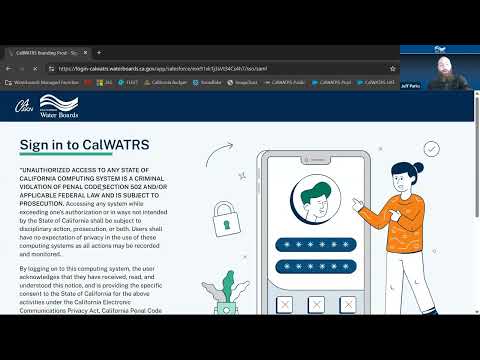
The webinar, presented by a member of the State Water Board staff, focused on the practical steps users must take when they first log in: create a new Cal Waters account (old-system credentials do not carry over), set a password, and enable two-factor authentication by phone or an authenticator app. "The webinar does not have the chat enabled," the presenter said, noting the Q&A feature would be used for attendee questions.
Why it matters: Mailed PINs are the mechanism the board used to tie legacy records to newly created accounts. The presenter warned that the mailed PIN "is for that organization" and that the first person to enter a PIN becomes the administrator for that organization in Cal Waters, with authority to admit other members and control who can see or act on the organization’s records.
Key details and guidance from the webinar: - Account creation and authentication: Users must register a new Cal Waters account; previous RMS system logins will not work. After registering, users receive an email link to set a password and must enroll a second-factor method (phone call/SMS or an authenticator app). - PIN behavior and admin role: A mailed PIN ties a newly created account to legacy records. The first person to submit that PIN is made the organization administrator and can invite or approve subsequent members. The presenter emphasized that PINs are not intended to be shared or reused to impersonate others. - Joining an existing organization: Subsequent users should search for the organization and submit a join request; that request is routed to the organization’s admin for approval. If no admin has yet joined, join requests will remain pending and the presenter recommended contacting board staff via a help request. - Duplication and merging risks: Receiving multiple mailed PIN letters can reflect duplicate legacy records. The presenter said using multiple PINs will merge those records, which is sometimes appropriate but can unintentionally combine distinct branch names; attendees were advised to contact board staff when names or branches must be preserved. - Organization structure: The presenter demonstrated headquarters/branch configurations so that headquarters users can view rights across branches while branch-assigned users see only rights for that branch. The U.S. Forest Service and a winery/family ownership examples were used to illustrate complex setups.
The presenter repeatedly directed attendees to the Cal Waters resources page on the State Water Board website for PDF walk-throughs and training videos, and recommended that organizations who are unsure about complex branch or migration needs contact staff for help. The webinar closed with a reminder that an afternoon session will cover agent-specific procedures in more depth.
The board recorded attendee questions and encouraged participants to open help requests when they need staff intervention; for UI or account-specific problems the presenter provided a staff email during the session.