Get Full Government Meeting Transcripts, Videos, & Alerts Forever!
Get email alerts on the Data Access Census topic
No spam. Unsubscribe anytime.
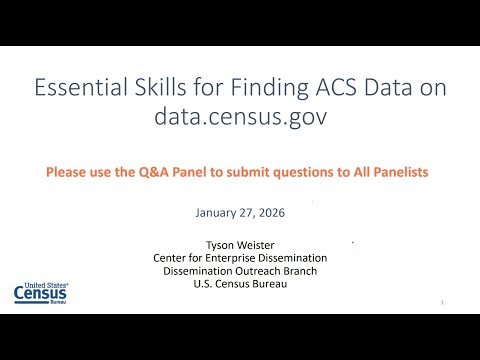
Census Bureau webinar shows how to find ACS data on data.census.gov
Summary
U.S. Census Bureau trainers demonstrated how to locate, export and visualize American Community Survey (ACS) estimates on data.census.gov, covering single-bar and filter searches, data profiles, ACS 1‑year vs 5‑year rules, address/tract searches, mapping and download options.
Faith Whittington, host of a U.S. Census Bureau webinar, opened an online training showing practical steps for finding American Community Survey data on data.census.gov. Tyson from the Center for Enterprise Dissemination led the demonstration and answered audience questions.
The session focused on two primary ways to find ACS data on the site: a single search bar for quick keyword or table-ID queries and an advanced-filter panel that guides users through geographies, topics, surveys and vintages. "data.census.gov is the primary platform to access data from the Census Bureau," Tyson said, explaining the platform includes popular surveys and program data and ACS releases dating back to 2010.
Why it matters: ACS provides recurring social, economic, demographic and housing estimates used in planning, reporting and research. The webinar aimed to reduce common errors—such as using the default ACS vintage when a selected geography lacks 1‑year coverage—and to show how to export and visualize results for analysis.
Key takeaways
- Use the single search bar for quick lookups (geography, topic, or table ID). Verify the site’s interpretation of your keywords in the upper-left filter area before proceeding.
- Use the filters/advanced search to select multiple geographies and topics. This is the guided route for assembling side-by-side tables (for example, state, city/place, and ZIP code tabulation area).
- Know the vintage rules: "ACS 1‑year estimates are available for geographies with 65,000 people or more," Tyson said. ACS 5‑year estimates cover all ACS geographies (down to block group). If a selected geography has no 1‑year data, switch the product to the 5‑year vintage.
- Rely on ACS data profiles (DP02, DP03, DP04, DP05) for common totals and percentages across housing, economic, demographic and social topics; these four profile tables are a useful first stop when many tables appear.
- Use the address search to find the census tract for a street address, then filter results (e.g., employment → industry) to see tract-level cross-tabulations. In the webinar example, a tract showed an estimated 589 manufacturing workers (~21.8% of workers), and a related table (S2405) broke out occupations within that industry (about 60.4% in management/business/science/arts among those manufacturing workers).
- Export options: Excel/CSV preserves a readable table view (with a source tab and a data tab). ZIP outputs provide flat, machine-readable files with geo IDs suitable for GIS and programmatic workflows. Tyson demonstrated how table/column codes map to estimates (e.g., table S1901 column codes for median household income).
- Mapping and charts: maps can be created from table data and printed or saved as PDFs; charts are currently shareable via link or screenshot but do not have a built-in export feature yet. "Currently, we have the visualization options for maps that you can download," Tyson said, adding that chart-export features are under consideration.
Q&A highlights
- County-level maps: Maps work well when a single geography level is selected; users can map all counties in the U.S. or any other single geography level.
- Nonstandard groupings: The platform uses Census Bureau–defined geographies (no built-in custom neighborhood groupings); users should contact the geography team for help matching local areas to Census definitions.
Resources and next steps
Presenters pointed attendees to technical documentation (subject definitions, table lists, comparison guidance) on the ACS website and training at Census Academy (census.gov/academy). For support and requests: census.data@census.gov (data questions/training), census.askdata@census.gov (state outreach), and pio@census.gov (media). The Census team also offers monthly hands-on workshops and usability testing opportunities.
The webinar closed with a reminder that slides and a recording will be posted and that the team welcomes feedback and questions via the provided email addresses.