Get Full Government Meeting Transcripts, Videos, & Alerts Forever!
How court clerks process a new civil case filing in the e‑filing queue
Summary
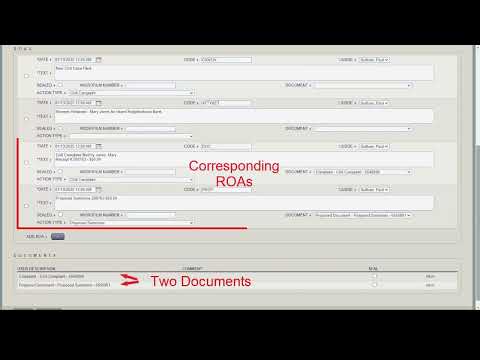
A training video walks clerks through processing a new civil case filing: matching parties, confirming a $50 justice‑court filing fee, moving payment from an attorney's unapplied receipt account to the case ledger, issuing and annotating the summons, and saving the ROA so the filing is complete.
A training video demonstrates step‑by‑step how to process a new civil case filing in the court’s electronic filing queue. The presenter shows how to confirm payment, match or add litigant records, create the case, issue and annotate the summons, and verify the fee posts to the case ledger.
The instructor begins by opening the pending e‑filing queue and noting one new civil case filing. “In this video, we are going to look at processing a new civil case filing,” the instructor says, and points out the payment record shows a $50 receipt. The video explains that the $50 filing fee for a new civil case at a justice court is reflected in the filer’s payment and that, prior to processing, the funds sit in the attorney’s unapplied receipt account. “By processing the filing, the money will move from the attorney's unapplied receipt account to the case,”…
Already have an account? Log in
Subscribe to keep reading
Unlock the rest of this article — and every article on Citizen Portal.
- Unlimited articles
- AI-powered breakdowns of topics, speakers, decisions, and budgets
- Instant alerts when your location has a new meeting
- Follow topics and more locations
- 1,000 AI Insights / month, plus AI Chat