Get Full Government Meeting Transcripts, Videos, & Alerts Forever!
How to create a HARP account to access CMS applications
Summary
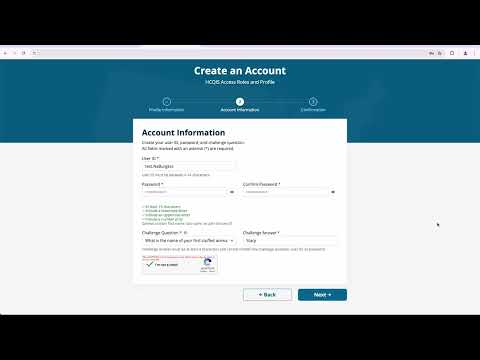
A step-by-step walkthrough of creating a HARP account, completing identity proofing (remote via Experian or manual), setting up required two-factor authentication options, and maintaining account access for CMS applications.
Unidentified Speaker, Presenter, walked listeners through how to create an account for HARP — the Health care quality information systems access roles and profile portal — a secure identity management portal used to sign in to many Centers for Medicare & Medicaid Services (CMS) applications. “The health care quality information systems access roles and profile, otherwise known as HARP, is a secure identity management portal provided by the Centers for Medicare and Medicaid Services or CMS,” the presenter said.
The presentation said an account supplies a user ID and password that can be used to sign in to many CMS applications. To begin registration, users are instructed to click the sign-up link on the HARP login page or go to harp.cms.gov/register; the first page in the portal is the…
Already have an account? Log in
Subscribe to keep reading
Unlock the rest of this article — and every article on Citizen Portal.
- Unlimited articles
- AI-powered breakdowns of topics, speakers, decisions, and budgets
- Instant alerts when your location has a new meeting
- Follow topics and more locations
- 1,000 AI Insights / month, plus AI Chat