TDOE details IDEA high-cost and special-school transportation reimbursements, new upload rules and June 3 opening
Loading...
Summary
Tennessee Department of Education staff outlined how LEAs should apply for IDEA high-cost reimbursements and State Special School Transportation (SSST) for FY2026, clarified documentation and file formats, announced that redaction of IEP PII is no longer required, and said the instrument will open June 3 with a tentative Sept. 1 close.
Tennessee Department of Education presenters walked local education agencies through the application process for IDEA high-cost reimbursements and State Special School Transportation (SSST), emphasizing documentation, allowable costs and timing for FY2026.
The presentation explained that IDEA high-cost funds are intended to help LEAs cover unusually expensive services for students with disabilities so they can receive a free appropriate public education (FAPE). Speaker 2, a TDOE presenter, summarized the federal-aligned threshold: an individual student’s general-purpose (GP) expenditures must exceed three times the state average per-pupil expenditure to qualify for high-cost consideration; the FY25 per-pupil figures are not yet available and will be posted in the application instrument. Speaker 2 also said that SSST reimbursements are narrowly confined to transportation costs for students placed at state special schools and that a student who qualifies for both programs must be submitted on the high-cost application rather than claiming both.
Why it matters: many LEAs had applications returned last year because uploaded summary templates did not match invoices, IEP dates or proof of payment. TDOE staff said the goal this year is to reduce returns by clarifying required files, formats and matching rules up front.
Key documentation and format rules
Speaker 1, a TDOE presenter, said each student’s submission must include three uploaded items: (1) a single PDF containing the required IEP pages (cover and service pages) covering the full fiscal year, (2) one Excel summary template (one student per template) with clear justifications, and (3) one PDF of supporting documentation that shows obligation, invoicing and proof of payment. File names must include the student’s initials, state student ID (not a local ID), the year and a document type label (IEP, summary, supporting doc). Service dates listed in the summary must match the IEP service dates exactly; costs for dates outside FY2026 (07/01/2025–06/30/2026) should be deleted or redacted from the submission.
On allowable costs and allocation
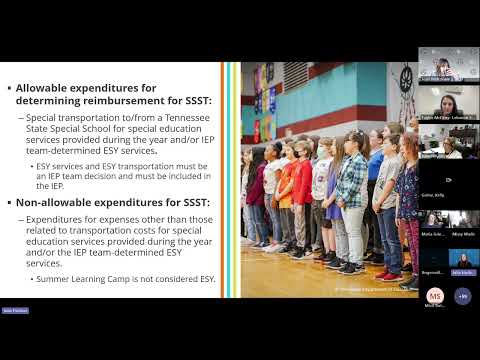
TDOE presenters listed common allowable high-cost items — one-on-one assistants, specialized equipment, contracted services, and special transportation — and nonallowable costs such as prorated salaries for staff already providing special education services and summer learning camp (which is not the same as ESY). When multiple students share a single invoice (for example, a contracted day school), LEAs should split costs on the summary spreadsheet and highlight the rows that correspond to the student being claimed so reviewers can quickly verify alignment.
Change to IEP PII handling
Speaker 1 announced a change in practice: because IEPs are stored in the secure ePlan system, redaction of personally identifying information (PII) from uploaded IEPs will no longer be required. Staff framed this as intended to ease LEA burden while maintaining data security.
Examples and supporting evidence
The presenters walked through exemplar submissions that had succeeded last year: a one-on-one assistant with payroll reports and timesheets; a private residential placement with monthly invoices and matching finance reports; and parent-contract mileage submissions with signed mileage logs and cleared payments. For each exemplar they showed the invoice, the supporting finance entry that proved payment, and the highlighted summary-row totals demonstrating how the amounts must align.
Timing, help and next steps
TDOE staff said the application instrument in ePlan is expected to open on June 3 for LEAs that wish to begin early work; it will not be mandatory to start then. The presenters described office hours and an invitation to contact staff with special situations. Speaker 1 said the instrument’s closing date is likely Sept. 1 but Speaker 2 said she would confirm that date in the meeting chat, so the closing date should be treated as tentative until the agency posts an official schedule.
What LEAs should do now
Prepare combined per-student PDFs and the Excel summary template using state student IDs; confirm that each student’s IEP service dates cover FY2026; ensure invoices and proof of payment are available and allocated correctly on the summary spreadsheet; and plan to use ePlan beginning June 3 if they want an early start. LEAs with complex contract arrangements were advised to contact TDOE staff for guidance and to use the survey/QR code provided to offer suggestions for improving the process.
The presenters closed the session by opening the floor for questions and reiterating that staff would post slides and resources in TDOE’s resources area and be available during office hours for individualized help.