Get email alerts on the Field Sample Rollout topic
No spam. Unsubscribe anytime.
Interagency demo shows new Field Sample database features, access roles and future mapping/visualization plans
Summary
A FEMS office-hours demonstration walked interagency users through logging into the Field Sample database, role-based access (collector, group editor, area editor, admin), subsample averaging, data-cleanup plans for historical duplicates, integration with San Jose State's Fuel Moisture Repository, and an October-mapped transition to Esri.
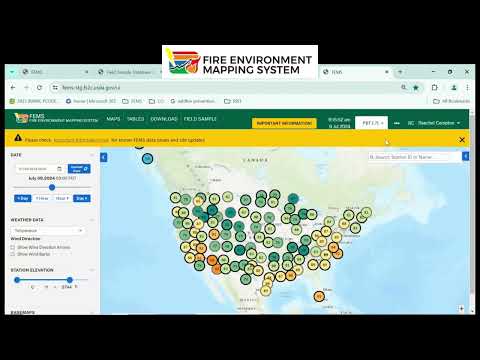
Rachel, the Field Sample presenter, walked attendees through how to log into FEMS and use the Field Sample database, showing how users can begin entering fuel moisture samples and how the system handles subsamples.
The demonstration focused on immediate, practical needs: how to log in (E-Auth for federal users, login.gov for non-federal users), how to set up an INAP account so area editors can find you, and which roles give which privileges. "If you're non-federal, then you'll choose login.gov," Rachel said while demonstrating the FEMS interface. She described four role tiers: collectors (can enter samples but cannot edit site metadata), group editors (typically forest-level fuel specialists who can create and edit sites), area editors (region-level managers who can create and reassign groups), and FEMs admins (named in the demo as Rachel, Scott Turner, Scott Lynn and Travis Burdigan).
Why it matters: the Field Sample database is being rolled into FEMs as an interagency tool intended to replace or augment the older National Fuel Moisture Database. By enabling more structured entry and role-based editing, the system aims to reduce local confusion about who can change site metadata and to provide more consistent sampling records.
Key features shown
- Subsample averaging: Rachel demonstrated that Field Sample accepts multiple subsamples and automatically computes an averaged percent fuel moisture for the sample ("you don't have to average beforehand. You can add in as many subsamples as you have, and it'll do the average for you").
- Role-based access and troubleshooting: the team emphasized that users may be logged into FEMS but still not see Field Sample until the appropriate role is assigned. Rachel recommended clearing browser cache and ensuring pop-ups are allowed if users cannot log in, and offered to collect names in chat so admins could grant access.
- Site and group management: presenters showed the group/site hierarchy (example: the Nez Perce-Clearwater group under Northern Rockies) and advised creating or reusing a group before adding sites to avoid duplicates. They noted group editors such as Justin Papani and TC Peterson were listed as people who can edit site locations in the demo example.
- Historical data and duplicates: the panel explained data imported from the older National Fuel Moisture Database arrived with blank method fields, producing duplicated or ambiguous records. They plan an admin-level process to apply subcategories or adjust historical records but will limit mass changes to prevent errors.
- Integration with Fuel Moisture Repository (FMR): San Jose State University's Fuel Moisture Repository is being used to display linked national data, and the FMR team is working to ingest Field Sample records on roughly a weekly cadence. Presenters said some 2024 samples were already visible in the repository but full integration is still in progress.
- Mapping and visualization roadmap: the group said they will transition the FEMs mapping backend from Kepler to an Esri-based system "later this fall," and so are deferring extensive mapping work in the current releases. Data visualizations and historical-trend charts are planned in upcoming releases; interim options include downloading data from Field Sample or the FMR and building local graphics using a future API.
Support and next steps
The presenters asked users to contact their area editor or the listed FEMs admins if they need account help; they posted a table of area editors in chat during the session. The Field Sample user guide was noted as last updated 05/21/2024 and will be revised as features roll out. Office hours are held on Thursdays at 08:10 Pacific for follow-up questions and troubleshooting with the project team and San Jose State representatives.
What the demo did not do
The presenters did not perform any deletions of existing data; instead, they said data would be archived and an audit log will be available to trace and recover edits. They also said automatic merging of full, data-rich groups is not yet available in production and will require either manual transfer or waiting for a planned back-end process.
The next procedural step is continued iterative releases: short-term fixes for access and interface issues, an upcoming release to improve visualizations and APIs, and a later fall transition to an Esri mapping backend. The presenters invited users to the weekly office hours and encouraged local experimentations with downloads or FMR until built-in visualizations are available.
AI generated
The text on this page is AI generated. Summaries, highlights, analysis, and video transcripts are all produced from the original source material.
AI can make mistakes, so if you spot one, and we will fix it for everyone.
Note: the source content is unaltered by us. Any content source we link to, be it a video, an audio recording, or a document, is presented exactly as its publisher released it. That publisher is usually a government body, sometimes an individual official or another organisation.