Get Full Government Meeting Transcripts, Videos, & Alerts Forever!
Get email alerts on the Parent Communications topic
No spam. Unsubscribe anytime.
Malverne technology director previews ParentSquare rollout to parents
Summary
Daniel Nelson, director of technology for the Malverne Union Free School District, demonstrated the district's new ParentSquare platform, walked through account setup and notification settings, and said the district is migrating documents (including STAR and state assessment reports) to ParentSquare.
Daniel Nelson, director of technology for the Malverne Union Free School District, demonstrated ParentSquare to parents and caregivers, describing it as the district's new central communications tool and walking attendees through account setup, security and key features.
Nelson said the district adopted ParentSquare after parents told staff they were being overwhelmed by multiple communication platforms. "So far it's been a great success for the Malvern School District," he said, adding that the platform consolidates messages, alerts and documents into a single place.
Nelson emphasized three setup steps: download the ParentSquare app, create an account and customize preferences. He warned that accounts must use the same email address as the family's Infinite Campus parent portal account or the two accounts will not link, and that notification settings must be enabled: "If these are not checked off, you will not receive them." The notification controls include email frequency, text alerts, push notifications and digest options that combine multiple messages into a single daily or weekly summary.
He demonstrated the app's home screen and menu, showing sections for schools, classes, groups, messages, events, directories and account settings. Nelson described the Messages feature as a secure, private chat between families, teachers and staff, with threaded conversation history and an indicator for unread messages. He used messages from "Miss Vatola" and "Miss Kelly" as examples of the conversation view.
On security, Nelson pointed to an Active Sessions screen listing logged-in devices, locations and IP addresses and said parents should log out unfamiliar sessions and change passwords if they suspect unauthorized access. He also explained that certain documents are protected and require re-authentication to view; the district is migrating documents to ParentSquare this year, and examples he cited included STAR reports and New York State assessment reports.
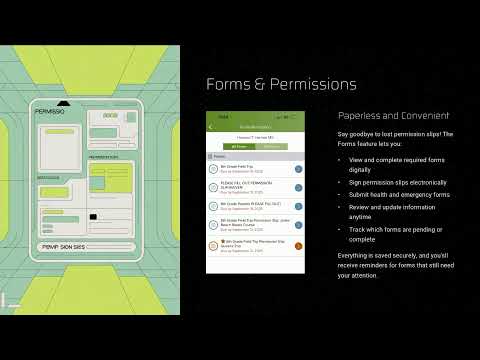
Nelson walked through features that support family engagement: an events calendar with RSVP and calendar-sync options (with a caution that syncing to a district calendar may add many district events to a personal calendar), group pages for teams and clubs, a media gallery for school photos, sign-ups for volunteers (example: the National Junior Honor Society helping with a holiday event), digital forms and permissions for field trips and other needs (one example user had five forms pending) and polls for gathering parent preferences.
Nelson closed by reiterating that ParentSquare is meant to strengthen the home-school partnership and invited parents to reach out with questions; he gave his name and provided an email address verbally for contact. There was no formal vote or action taken during the presentation.
Next steps: parents should create or verify their ParentSquare accounts, confirm their notification preferences and ensure the email on ParentSquare matches their Infinite Campus parent portal account so records link properly.