Get Full Government Meeting Transcripts, Videos, & Alerts Forever!
Get email alerts on the Parent Portal And Clever topic
No spam. Unsubscribe anytime.
Kinnelon School District demonstrates new parent portal, calendar sync and Varsity Tutors access
Summary
District technology director Amanda Trumbetta walked parents through a redesigned district website with live Google calendar feeds, a household‑based parent portal for documents and attendance, and Clever‑based access to Varsity Tutors and student apps.
Amanda Trumbetta, the Kinnelon School District’s director of education for student information systems, platforms and staff development, demonstrated the district’s new parent technology tools at a recent parent forum.
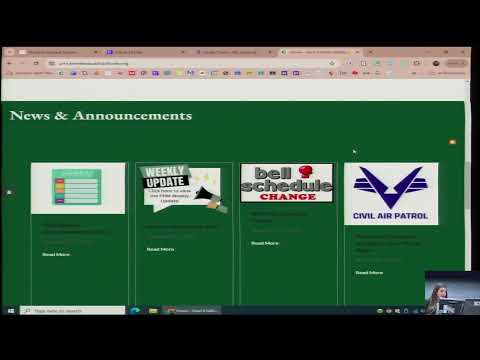
Trumbetta said the district moved to a new website provider to streamline calendars and announcements and that each school now maintains its own Google Calendar that “gets live updated on our district, on each of their websites.” Parents can subscribe to individual school calendars (Google or iCal) so events appear on their phone calendars, she said. The district also hosts a combined four‑school view on the district homepage but advised parents to subscribe to single‑school feeds if they want only specific schools’ events.
The parent portal, Trumbetta said, centralizes communications and student records that were previously mailed or scattered across systems. Parent logins are household‑based (one login per child shared by parents at the same address); students have separate portal logins with limited menus. The portal will post PDF copies of parent letters and student documents — including NJSLA score reports — which parents will be notified about and can download from a documents area.
Trumbetta demonstrated features parents can use in the portal: linking multiple children to a single account and switching between students; printing schedules by marking period; reviewing progress reports and posted report cards (parents are asked to acknowledge report cards); and updating contact phone and email information (address changes must be handled through the school office). She called attention to a notification control that connects to the district messaging system and urged parents to toggle calling, texting and email preferences and to add secondary contacts for pickups or medical notifications.
For attendance, the portal allows parents to submit single‑day or date‑range absence requests that require a note and remain in a pending status until processed by the office. At the middle and high school levels, a new student scan‑in system records times students visit nurse or guidance and supports open‑lunch check‑ins; parents can view and filter the scan history by date.
Gradebook features for grades 6–12 show current averages, course rosters and assignment details; parents can set notification thresholds to receive alerts when grades fall below a set point. The portal also exposes discipline entries for high school students and district assessment data (benchmarks and state testing) in a testing tab so parents can track academic progress over time.
Trumbetta introduced Clever as the district’s single sign‑on dashboard for student apps and explained badge logins for K–2 and Google logins for grades 3–12. She said Varsity Tutors has been added as a district app available through Clever: “Varsity Tutors is a platform that allows the students to chat with a tutor,” she said, adding the district set up the service so all students have access. According to Trumbetta the platform offers live vetted tutors with background checks, a chat and whiteboard feature for problem‑solving, essay‑editing with an approximately 24‑hour turnaround, live classes, AP and SAT/ACT prep, and personalized recommendations tied to students’ courses.
Trumbetta walked parents through finding Kinnelon on clever.com, using the district code shown on the portal for mobile app setup (district code 2460), and how to locate Varsity Tutors among a student’s apps. She said administrative assistants can reset usernames and passwords and encouraged families to contact district support for login help. (District support email corrected in this story to support@kinnelon.org based on the district name used in the presentation.)
The district also created a separate athletics calendar because of the volume of events and maintains a CultConnect page that tracks district goals and archives presentations and forums, Trumbetta said. She closed by saying the forum will be posted to the district site and inviting parents to reach out to her or school offices for assistance.
Next steps: parents were told the district would post this recording and links to the parent apps on the website; Trumbetta said staff would circulate instructions and support resources for families who need help linking accounts or retrieving logins.