Get Full Government Meeting Transcripts, Videos, & Alerts Forever!
Get email alerts on the Pubmed Intro topic
No spam. Unsubscribe anytime.
NLM webinar walks users through PubMed search tools, MeSH and alerts
Summary
The National Library of Medicine’s Region 2 webinar offered a live tour of PubMed — explaining citation vs. full-text coverage, citation and author search tips (PMID and computed author sort), filters (free full text, article type, associated data), automatic term mapping and how to save alerts via My NCBI.
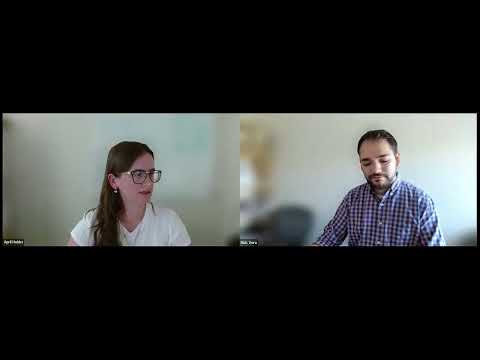
Nick Vera, user experience and education strategist for NLM Region 2, and April Hobbs, research and data strategist for the Network of the National Library of Medicine’s Region 2 office, led a one-hour webinar introducing participants to PubMed’s core search features and instructor resources.
Vera opened the session by describing PubMed as “the National Library of Medicine's free, authoritative database of more than 38,000,000 citations for articles in the fields of biomedicine and health,” and said it serves clinicians, researchers, students and librarians, adding that PubMed is used by more than 3,000,000 unique users a day. "PubMed is a database of citations, not a database of full text articles," he said, noting that while roughly 75% of citations include a full-text link, and nearly 95% of citations from the last 10 years link to full text, not every result is freely available on PubMed itself.
Hobbs demonstrated practical search workflows. She showed how PubMed’s citation sensor and fuzzy matching can find an article from partial details (for example: author last name, journal abbreviation and year) and explained the abstract view where users can click an author name to see the PubMed identifier (PMID) and use that number to retrieve the exact citation. "If you have the PMID, you can always find the citation by typing the number into the search box," she said.
The webinar also covered author‑searching techniques and disambiguation tools. Hobbs recommended searching by last name and initials and demonstrated PubMed’s "computed author sort," an algorithm that clusters likely publications for a single author using coauthors, journals, MeSH terms, grants and publication dates.
Participants saw examples of keyword searching, the default Best Match ranking (a machine‑learning sort that places the most relevant results at the top), and alternative sorts such as most recent. Hobbs used an acid‑reflux search to show how automatic term mapping expands plain keywords to controlled vocabulary — for example, the search term "nosebleed" maps to the MeSH heading "epistaxis" — and demonstrated the Search Details panel that records how PubMed interpreted the query.
Filtering and result‑management features received detailed attention. Hobbs showed how filters for publication date, text availability (free full text vs. abstract), article type, language and an "associated data" attribute (which limits results to citations that link to external data sources such as ClinicalTrials.gov) can dramatically narrow results. She demonstrated export options — copy formatted citations, download as .nbib for citation managers, CSV export of result pages — and the "Send to" menu for saving to collections. She highlighted the "create alert" button tied to a My NCBI account for automated, scheduled emails of new results.
Rebecca, the chat moderator, flagged logistics and upcoming classes, reminding attendees that many of the instructional links would be included on the webinar handout and in chat. She also noted an operational caveat: "If something breaks in PubMed at this time, it won't be fixed, because of the government shutdown," meaning local NLM staff might not be available to immediately address outages even though publishers continue to add citations.
The presenters emphasized instructor resources: the PubMed trainers toolkit (materials vetted by NLM experts), webinar playlists, and language‑specific materials such as Spanish handouts. They closed by announcing follow-up lab sessions in the series: a full MeSH training and a separate automatic term mapping session, and they directed attendees to registration links in the handout and chat.
The webinar was instructional rather than decision‑making; no formal actions were taken. For users, the practical takeaways included using PMIDs for precise retrieval, preferring last name + initials for author searches, using Search Details to understand query mapping, employing filters and the associated data attribute for targeted results, and creating My NCBI alerts to monitor new literature.
Next steps: presenters encouraged attendees to register for the upcoming MeSH and automatic term mapping webinars and to consult the handout and PubMed help resources for deeper instruction.