Get Full Government Meeting Transcripts, Videos, & Alerts Forever!
Get email alerts on the Api Access LEHD topic
No spam. Unsubscribe anytime.
Census webinar shows how to query LEHD QWI and PSEO APIs and export results
Summary
The U.S. Census Bureau demonstrated how to build queries in the LEHD Quarterly Workforce Indicators (QWI) and Post‑Secondary Employment Outcomes (PSEO) APIs, including geography/time filters, categorical parameters, institution codes, and CSV export; presenters answered audience questions on API keys and variable codes.
The U.S. Census Bureau on Dec. 3 walked users through building queries and interpreting outputs from two Longitudinal Employer‑Household Dynamics (LEHD) datasets available via the Census API: Quarterly Workforce Indicators (QWI) and Post‑Secondary Employment Outcomes (PSEO).
Tyson Weister, a survey statistician on the Census Bureau communications team, led a live demonstration showing how to assemble an api.census.gov URL, select readable variables and labels, and restrict results by geography, time and categorical values such as education level and industry. "All you need to get started is two links from the discovery tool," Weister said, describing how example queries and variable lists let users edit a template URL rather than build requests from scratch.
Weister illustrated typical queries and outputs. In one QWI example he set state=04 (Arizona) and time=2024‑q2 and reported that average monthly earnings for new hires with a bachelor’s degree or higher in Arizona were $5,922 in quarter 2, 2024. He showed how adding a categorical parameter (education=e4) restricts results to bachelor's‑level workers and how industry filters (industry=52) return sector‑specific time series, citing an example average of $7,614 for finance and insurance new hires in Nevada in Q1 2020.
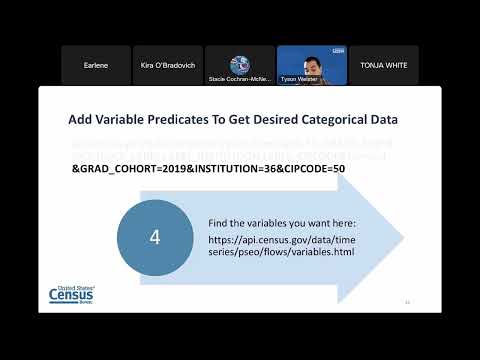
For the PSEO dataset Weister demonstrated adding label variables (institution, label_zipcode, degree level) so JSON outputs show university names and program labels rather than only numerical codes. Using Purdue University (institution code 00182500) as an example, he showed how to restrict queries to a single college and export results with ampersand output_format=CSV for analysis in spreadsheets. "When you put descriptive=true it will add a row explaining labels such as y1_p50 earnings," he said, recommending that users include those descriptive labels when preparing outputs for human review.
In the webinar Q&A, moderators walked attendees through administrative and technical items. Weister explained that registering for an API key on the Census developers page lifts the daily 500‑request limit per IP address and that variable codes (for example, e4) are documented on the dataset pages or by adding label variables to a PSEO query. He also reviewed the syntax for CSV export: ampersand output_format=CSV (with a capital F).
The presentation highlighted support resources: the developers portal at census.gov/developers and api.census.gov, dataset documentation and Excel files listing categorical codes, a monthly schedule of free workshops and usability testing opportunities, contact emails (census.data@census.gov and sed.sedscy.outreach@census.gov), and a Slack channel for API users. Weister urged users with complex aggregation questions to submit them through the Census contact channels for follow up.
The webinar concludes with a reminder that a recording and supplemental materials will be posted to the Census Academy website within 30 business days, and that the next LED webinar will be held Dec. 17 on unemployment insurance outcomes.