Lifetime Citizen Portal Access — AI Briefings, Alerts & Unlimited Follows
Census tutorial: why PUMAs were handled differently in the 2018–2022 ACS 5‑year PUMS
Loading...
Summary
A U.S. Census Bureau presenter explains that the 2018–2022 ACS 5‑year PUMS mixes 2010 and 2020 PUMA boundaries (a 'dual vintage'), so PUMAs appear as variables in MDAT for that release; the tutorial shows checks and examples researchers should use to choose the correct GEOIDs.
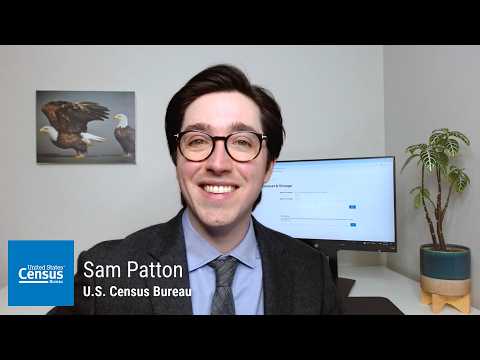
Sam, a presenter, explained why Public Use Microdata Areas (PUMAs) were not listed among selectable geographies in the Microdata Access Tool (MDAT) for the 2018–2022 American Community Survey (ACS) five‑year public use microdata sample (PUMS). "If you have used the 2018 to 2022 American Community Survey 5 Year Public Use Microdata Sample or PUMS file in our Microdata Access Tool, you may have noticed that the Public Use Microdata Areas or PUMAs are not found among the list of geographies," Sam said.
Sam said the change is a product of a dual‑vintage construction of the 2018–2022 PUMS: some years in that five‑year period use 2010 PUMA boundaries while 2022 uses 2020 boundaries. "This is because the 2022 ACS 5 year PUMS uses dual vintages," Sam said, adding that the mixture of boundaries is why, for that file, PUMAs are exposed as variables under the variables tab rather than selectable geographies.
Why this matters: analysts who pull small‑area tables or run reproduceable research need to be sure they are using the PUMA definitions that match the years of data they are analyzing. Sam highlighted that PUMAs are "non overlapping statistical geographic areas that partition each state or equivalent entity into geographic areas containing no fewer than 100,000 people each," and warned that GEOIDs can change between censuses or be reused across states.
Practical checks and examples. Sam walked viewers through steps to confirm the correct PUMA for their needs: determine the GEOID for both the 2010 and 2020 boundaries; verify whether names or boundaries changed; and, crucially, always specify the state as PUMA codes are not unique nationwide. Using Butler County, Pennsylvania, as an example, Sam said the GEOID remained 01600 across 2010 and 2020 boundaries for that PUMA. He contrasted that with Beaver County South and other cases where the PUMA name stayed the same while the GEOID changed (for example, "01502" in 2010 became "01512" in 2020).
Sam also showed a New York City example to illustrate how a single GEOID can map to very different areas depending on the vintage: GEOID 04110 corresponded to "NYC Queens Community District 5, Ridgewood, Glendale, and Middle Village" under 2010 boundaries but corresponded to "NYC Manhattan Community District 10, Harlem" under 2020 boundaries. "When we look at them side by side, we can really see just how far apart the two PUMAs are geographically," he said.
For releases after 2022, Sam said the Census Bureau has cross‑walked PUMAs in microdata records with a 2010→2020 relationship file so users of the 2023 (2019–2023) and later 5‑year PUMS can select PUMAs in the geography selector without using the variables tab. "So you don't have to worry about trying to match up the PUMAs on your end," he said, noting that the special variable treatment is specific to the 2022 PUMS.
Sam concluded with a reminder to use available Census tools (PUMA name documents and data.census.gov maps) and the accompanying MDAT tutorial for step‑by‑step guidance. "To learn how to put this information into action in MDAT, please see our accompanying video at the link below," he said.
The tutorial ends with links to the MDAT walkthrough and Census resources for further guidance and reproducible workflows.