Get Full Government Meeting Transcripts, Videos, & Alerts Forever!
Get email alerts on the Portfolio Manager topic
No spam. Unsubscribe anytime.
Evanston committee tours Energy Star Portfolio Manager; staff flag data-entry, utility-integration hurdles
Summary
At an Evanston Healthy Buildings Technical Committee meeting, a Portfolio Manager walkthrough highlighted where building owners struggle: locating city building IDs, entering gross floor and mixed-use areas, connecting utilities for automatic data pulls, and fixing flagged data—with a new help-desk guide released to address common errors.
A demonstration of Energy Star Portfolio Manager at the Evanston Healthy Buildings Technical Committee meeting on the committee’s scheduled agenda focused on practical steps for owners to set up building profiles and avoid common data errors.
Maddie, who led the walkthrough, showed how to select property type (the group uses multifamily under lodging for many units), designate whether a property is single- or multi-building and find the city-assigned building ID on Evanston’s benchmarking web page. She told the group owners can locate their building ID by using the city’s benchmarking map or the building list, and that the covered-buildings list is updated annually.
Why it matters: accurate building IDs, gross floor area and meter assignment feed the city’s benchmarking and any future building performance standard (BPS). Committee members flagged that gross floor area is hard to determine for multifamily sites because assessor records and plans are often not readily available.
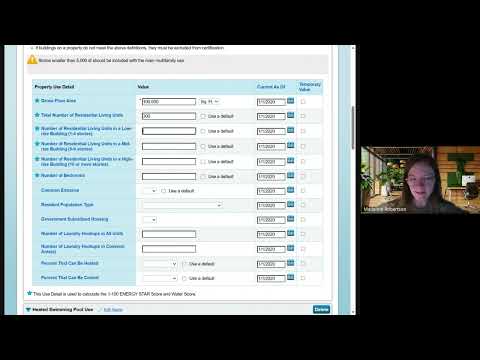
Maddie said the portal saves a profile and only needs annual updates unless a building’s footprint or tenant mix changes. She also demonstrated how to enter mixed-use spaces such as ground-floor retail and pools, and how those entries affect a building’s total gross floor area and energy-use intensity calculations. Participants emphasized the need to simplify guidance for non-technical users: “If we ask for too much information we’re going to get nothing,” one attendee said during the session.
The demonstration covered data-quality tools and a new help-desk guide. “We just put out yesterday… a step-by-step screenshot process to walk you through how to fix [data flags],” Maddie told the committee, referring to a new troubleshooting resource designed to reduce manual corrections when the city pulls data into its analytics platform.
On utility integrations, staff explained that some utilities (named in the meeting as KMED and others) support automated data transfers to Portfolio Manager, while others require owners to request usage spreadsheets and enter data manually. Gabriella and Kristen described options for connecting meters and for sharing accounts with ownership groups. The portal enforces a single Property Data Administrator (PDA) per profile; committee members urged caution about transferring PDA control to vendors without safeguards.
The presentation also addressed renewable accounting. The panel showed where to record on-site solar and how to enter renewable-purchase credits; community-solar subscriptions frequently require manual aggregation and separate crediting because many utilities do not expose those data via the Portfolio Manager API.
Bottom line: Committee members left with specific technical questions to resolve (IDs, square-footage guidance, PDA protections and handling small retail spaces) and a short-term resource: an updated help guide and one-on-one support slots for users who are unfamiliar with Portfolio Manager.