Get Full Government Meeting Transcripts, Videos, & Alerts Forever!
Get email alerts on the Data Submission topic
No spam. Unsubscribe anytime.
Instructional video: how to add locations to the respondent spreadsheet
Summary
This is an instructional how-to on adding locations via the online or downloadable spreadsheet for respondents; it provides steps, limits (1,000 per upload, 8,000 total), deletion rules, and a help link. It is not a civic meeting.
This is an instructional how-to video explaining how respondents can add locations using the U.S. Census Bureau respondent spreadsheet tools. It walks users through both the online spreadsheet and the downloadable spreadsheet options, noting key steps and limits.
The narrator instructs online-spreadsheet users to start by verifying locations, clicking “start,” entering the number of locations to add, and using “add additional locations” to create new rows. The video states users may add up to 1,000 locations at a time with a maximum of 8,000 total locations added.
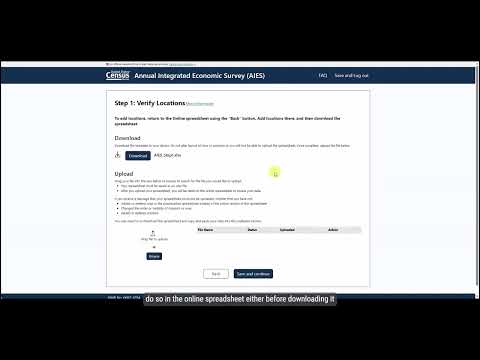
For the downloadable spreadsheet, the narrator advises verifying pre-listed locations and completing required fields; the downloadable file cannot be used to add new locations directly. If additional locations are needed, users must add them through the online spreadsheet either before downloading or after uploading completed data for pre-listed locations.
The video explains deletion rules: only newly added locations can be deleted by selecting the applicable row and choosing “delete added location”; pre-listed locations cannot be removed. If a location is no longer operating, respondents should report that update during the verify location step. For further assistance, viewers are directed to the respondent portal or to census.gov/aies.