Get Full Government Meeting Transcripts, Videos, & Alerts Forever!
Get email alerts on the Visit Tracker Setup topic
No spam. Unsubscribe anytime.
Data Keeper trains Washington home‑visiting programs on Visit Tracker setup and measure tracking
Summary
Data Keeper product manager David Tindell led a virtual training on Visit Tracker setup, including account preferences, user roles, reminders, templates and Washington measures tracking; Department of Health staff confirmed mandatory demographic fields for state reporting.
David Tindell, product manager at Data Keeper, led the first Visit Tracker “session one” training for Washington home‑visiting programs, walking attendees through account setup, preferences and how the platform supports state reporting. About 30 people had registered and roughly 18 were present when the session began.
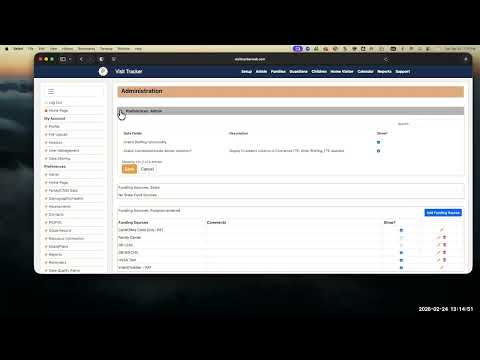
The session focused on the Setup area in Visit Tracker: profile and program information, user management, data‑sharing permissions and toggles that programs can use to show or hide fields. Tindell explained that the main administrator (the account super user) controls setup and that helper admins may be granted full access while home visitors and read‑only users receive more limited permissions. "When you log in, it's where you land at the top. Click on setup," Tindell said during the demo, then walked participants through options for user roles, invoices and billing contacts.
Jennifer from the Department of Health confirmed which demographic fields Washington requires for state reporting: county and date of birth should be checked and made required to avoid downstream quality‑assurance problems. "County and date of birth, those are some requirements on demographic data," she said.
Tindell demonstrated several configurable areas that programs commonly ask about: family and child data preferences (including primary/secondary language behavior and additional languages), assessment and screening visibility, planning‑guide templates and curriculum templates, and service types such as doula records. He showed how templates prepopulate planning guides for new records and noted templates do not retroactively change existing records.
The presentation also covered reminders and data‑quality tools. Tindell advised programs to plan reminder rules carefully (paper or spreadsheet first) because rules can automatically generate many reminders accountwide. He showed how default next‑due dates are set for assessments and how a reminder bell indicates an upcoming due date for home visitors.
On reporting, Tindell demonstrated how to change default report start dates and discussed tradeoffs between persistent report filters and system performance, noting some filters now reinitialize on each report run to avoid performance problems. He suggested internal filter options may be added to improve usability.
The training closed with a short Q&A, and organizers said the session recording will be posted to the Department of Children, Youth and Families (DCYF) page and participants will receive a follow‑up survey and information about upcoming sessions.
Next steps for participants included reviewing account setup, enabling Washington measures tracking in family data preferences if applicable, and submitting support tickets for any account‑specific display issues.