Get Full Government Meeting Transcripts, Videos, & Alerts Forever!
Get email alerts on the Education topic
No spam. Unsubscribe anytime.
School District of Osceola County unveils parent and student information hub
Summary
Deputy Superintendent Dr. Renee Clayton released a video walkthrough of the district’s new Parent and Student Information Hub on oyaschools.net, showing calendars, meals, transportation, communication tools and curriculum resources and explaining how families can access scholarship and support information.
Dr. Renee Clayton, deputy superintendent for teaching, learning and leading for the School District of Osceola County, released a video walkthrough of a new Parent and Student Information Hub on the district website (oyaschools.net) designed to centralize calendars, meal menus, transportation details, communication tools and curriculum resources for families.
Clayton said the hub’s "Getting Started" page guides parents to attendance callouts that explain the district’s notification system and to the district academic calendar with the most up-to-date schedules. The site consolidates bell schedules, back-to-school details and individual school menus where a parent can select a child’s school to view daily lunch options.
The hub also links to the district’s transportation page with bus routes and eligibility rules and highlights a Reaxium app that families can use to follow bus activity. For families with multiple children, Clayton demonstrated a toggle that lets users switch between schools and showed where active forms — including dual-enrollment forms — appear in ParentSquare.
On communications, Clayton explained ParentSquare is the district’s central communications hub and pulls contact and language preferences from the Focus parent portal; parents must register on ParentSquare with the email or phone number on file in Focus. She said parents can set notifications to arrive instantly or as a daily digest and that schools or the district can override notification preferences in an emergency to ensure urgent messages are delivered. The video also shows how parents can direct-message teachers through ParentSquare.
The hub provides links to commonly used platforms and services: Canvas observer instructions so parents can view class announcements and assignments; MySchoolBucks for meal payments; an Oasis volunteer application; ClassLink and at-home learning supports including Khan Academy; and district-curated tools such as Progress Learning and Varsity Tutors for remediation and tutoring.
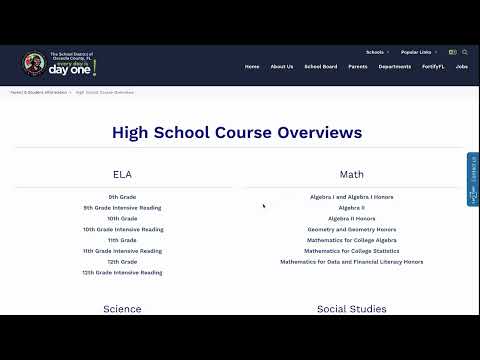
Clayton highlighted curriculum overviews organized by grade and course (elementary grade-level pacing, middle-school and high-school course listings), and she pointed parents to Florida Department of Education resources and released practice tests that explain score reports in family-friendly language.
On college and career readiness, the video points to an SDOC college-and-career site and explains the district’s SDOC 4E planning guides, which begin in sixth grade and provide senior-year guidance for postsecondary pathways. Clayton said the hub includes information on college-admissions tests (ACT, CLT, SAT), how to create accounts and when to take tests, and she advised parents to consult their school counselor or college-and-career counselor for individualized guidance.
Clayton explained Bright Futures is a state-funded scholarship and emphasized two points for families: that eligibility is determined by the state rather than the district, and that service and work hours "have to be earned starting in 9th grade" and should be pre-approved by a school counselor to qualify. The video directs parents to scholarship pages and a separate "Paying for College" section that aggregates credible sources and guidance for financing postsecondary education.
The hub also contains student support services and health-and-safety resources, including information on diabetes awareness, driver and substance-education courses, bullying-reporting procedures and an anonymous "speakout" hotline. Clayton noted the hub hosts multilingual parent brochures and an MTSS (multi-tiered systems of support) section that describes tier 1 core instruction and tier 2 and tier 3 interventions for students who need additional supports.
Clayton closed the video by urging families to bookmark the hub as a central resource for staying informed and to contact the district’s listed support staff if they need help navigating the site.
The hub centralizes administrative and learning resources for parents and students; it does not change eligibility rules (for example, for Bright Futures), which Clayton says remain set by state policy.