Get Full Government Meeting Transcripts, Videos, & Alerts Forever!
Get email alerts on the Cybersecurity Tooling topic
No spam. Unsubscribe anytime.
Presenter demonstrates ScubaGoggles, a CISA tool to assess Google Workspace security
Summary
A recorded walkthrough shows how to install and run ScubaGoggles, an automated tool that compares Google Workspace settings to the Cybersecurity and Infrastructure Security Agency’s Secure Configuration Baselines (SCBs) and produces a detailed compliance report for administrators.
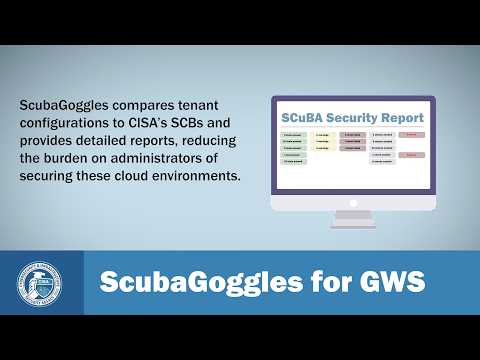
A presenter demonstrated ScubaGoggles, an automated tool that compares Google Workspace tenant configurations against the Cybersecurity and Infrastructure Security Agency’s Secure Configuration Baselines (SCBs) and “provides detailed reports reducing the burden on administrators of securing these cloud environments,” the presenter said.
The demonstration, run on a Windows machine, walked administrators through system requirements and setup steps, including installing Python 3.9 or higher, creating a Python virtual environment (the demo used a virtual environment named scuba-env), downloading the ScubaGoggles wheel file and installing it with pip, and obtaining an Open Policy Agent (OPA) executable either via the ScubaGoggles setup utility (recommended) or by manual download.
Why it matters: ScubaGoggles automates checks against CISA-recommended baselines to surface configuration failures, warnings, and items that require manual verification. The presenter showed how the tool lists baselines on the left of the report interface with status indicators (passed, warning, failed, needs manual check) and allows drill-down into individual policy checks so administrators can see which specific tests failed and why.
Key setup steps outlined in the demo include creating a Google Cloud project, configuring OAuth-based authentication for the demo (the presenter chose OAuth rather than service accounts), and creating an OAuth client named ScubaGoggles Client. The presenter emphasized adding two authorized redirect URIs — http://localhost and http://localhost:8080/ — and noted it is important to include the trailing slash on the second URI. After creating the OAuth client, the presenter downloaded the credentials JSON, renamed it Credentials, and moved it into the ScubaGoggles folder per the setup utility instructions.
The presenter also walked through enabling three required Google APIs — the Admin SDK API, the Group Settings API, and the Cloud Identity API — and then allowlisting the OAuth client in Google Workspace admin (admin.google.com → Security → Access and Data Control → API Controls → Manage Third Party App Access) by pasting the client ID, selecting the OAuth application, and marking it Trusted.
On first run the tool prompts for Google account authentication. The presenter ran ScubaGoggles for Google Workspace (ScubaGoggles GWS), clicked Allow when prompted for permissions, and showed the generated report in a browser. The presenter demonstrated running assessments against a subset of baselines (for example, Gmail and Google Calendar) and showed that reports reflect only the baselines specified.
Limitations and guidance from the demo: some baselines cannot be checked automatically and require manual verification; the presenter used one example where no relevant log events existed for a baseline and recommended a manual check. The demo also showed scenarios where a requirement appeared compliant at the workspace level but was misconfigured in specific organizational units (the presenter pointed to OU 01 and OU 03 as examples), and a domain-based message authentication failure that identified agency domains in violation of a DMARC-related policy.
Support and source code: the presenter directed viewers to www.cisa.gov/scuba for more information and to contact Cyber Shared Services at cisa.dhs.gov for assistance. The presenter also noted that ScubaGoggles is open source and that GitHub is the location for reporting bugs, requesting features, and submitting enhancements.
The demonstration focused on tool use and configuration; it did not include policy or legal interpretations beyond referencing CISA’s SCBs. Administrators planning to run ScubaGoggles should confirm which authentication method (OAuth or service account) fits their environment and follow organizational change controls when modifying settings identified by the tool.